
Geometric Construction and Locus Analysis: Exploring Curves and Surfaces via Ref
Loading the math board and drawing, please wait…
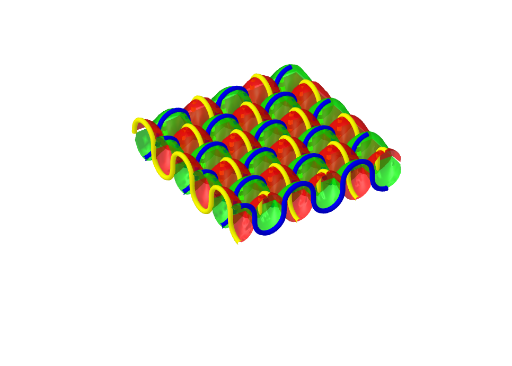
This example demonstrates the geometric relationship between isosceles triangles and plane reflections using GeoGebra. It shows how to construct complex curves and surfaces from basic geometric figures. Key mathematical concepts include reflection transformations, properties of isosceles triangles, plane geometry, and geometric construction. The construction involves using the Sequence command with objects a, e, n, c, liste1, liste2, g, f, o to build the geometry. Suitable for middle school geometry learners, this example helps in understanding geometric transformations and locus analysis, useful for math competitions and geometric visualization training.
GeoGebra Commands & Parameters
Sequence(CurveCartesian[t, (i * π), (a * sin(t + (π / 2 * (-1)^(i)))^(1 / c)), t, 0, (n * π)], i, 0, n) → liste1Sequence(CurveCartesian[(i * π), t, (a * sin(t + (π / 2 * (-1)^(i + 1)))^(1 / c)), t, -1.5708, (n * π)], i, 0, n) → liste2
AI Drawing Prompt Reference
Draw a curve generated by reflecting an isosceles triangle. Key objects include the vertices, base, and reflected points of the triangle. The construction order is to first draw the isosceles triangle, then perform a plane reflection, and finally draw the generated curve. Ensure the graph clearly shows the geometric relationship and transformation process.
The prompt above was compiled from the original drawing commands and is for reference only.