
Geometric Construction and Function Graphing: Demonstrating Geometric Transforma
Loading the math board and drawing, please wait…
In collections
geometriadinamica.es
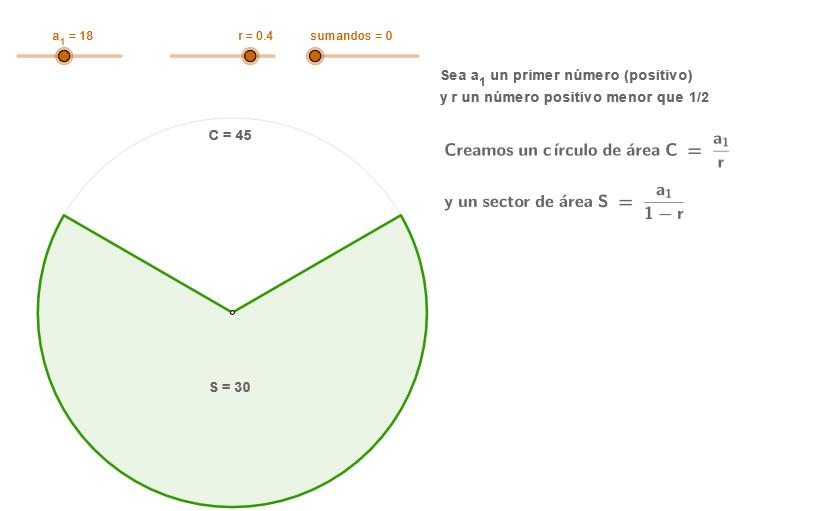
This example demonstrates how to create function graphs through geometric construction, involving key mathematical concepts such as geometric construction, function graphing, vectors, and transformations. The construction steps include using GeoGebra commands like Ray, Circle, Intersect, Rotate, etc., to create geometric objects and apply transformations to draw function images. Suitable for high school students or college students to learn about the integration of geometry and functions, and to master GeoGebra drawing techniques.
GeoGebra Commands & Parameters
Ray(O, A') → aCircle(O, R0) → c0Circle(O, (sqrt(r) * R0)) → c1Circle(O, (r * R0)) → c2Circle(O, ((r * sqrt(r)) * R0)) → c3Circle(O, (r^(2) * R0)) → c4Circle(O, ((r^(2) * sqrt(r)) * R0)) → c5Circle(O, (r^(3) * R0)) → c6Intersect(c0, a, 1) → C00Intersect(c1, a, 1) → C10Intersect(c2, a, 1) → C20Intersect(c3, a, 1) → C30Intersect(c4, a, 1) → C40Intersect(c5, a, 1) → C50Intersect(c6, a, 1) → C60Rotate(C00, ((-α)) / 2, O) → C01Rotate(C10, ((-α)) / 2, O) → C11Rotate(C20, ((-α)) / 2, O) → C21Rotate(C30, ((-α)) / 2, O) → C31Rotate(C40, ((-α)) / 2, O) → C41Rotate(C50, ((-α)) / 2, O) → C51Rotate(C60, ((-α)) / 2, O) → C61Rotate(C00, α / 2, O) → C02Rotate(C10, α / 2, O) → C12Rotate(C20, α / 2, O) → C22Rotate(C30, α / 2, O) → C32Rotate(C40, α / 2, O) → C42Rotate(C50, α / 2, O) → C52Rotate(C60, α / 2, O) → C62CircleSector(O, C01, C02) → sector0CircleSector(O, C11, C12) → sector1CircleSector(O, C21, C22) → sector2CircleSector(O, C31, C32) → sector3CircleSector(O, C41, C42) → sector4CircleSector(O, C51, C52) → sector5CircleSector(O, C61, C62) → sector6CircleSector(O, C61, C62) → sector7Circle(O, (sqrt(r) * R0)) → c1bCircle(O, (r * R0)) → c2bCircle(O, ((r * sqrt(r)) * R0)) → c3bCircle(O, (r^(2) * R0)) → c4bCircle(O, ((r^(2) * sqrt(r)) * R0)) → c5bCircle(O, (r^(3) * R0)) → c6bCircleArc(O, C11, C12) → arco1CircleArc(O, C21, C22) → arco2CircleArc(O, C31, C32) → arco3CircleArc(O, C41, C42) → arco4CircleArc(O, C51, C52) → arco5CircleArc(O, C61, C62) → arco6OrthogonalLine(T0, xAxis) → bPoint(b) → T1Mirror(C00, O) → C00'
AI Drawing Prompt Reference
Start with the origin as the center and draw a base circle, then create a series of concentric circles with radii increasing by powers of r. Draw a horizontal ray from the origin intersecting all these circles. Using these intersection points, rotate them upward and downward by equal angles to create two sets of points. Connect corresponding points on each circle's arc to form sector regions, creating a geometric pattern resembling a logarithmic function graph, demonstrating how to represent function images through geometric construction.
The prompt above was compiled from the original drawing commands and is for reference only.