
Geometric Construction and Animation of Rhombus Area Formula
Loading the math board and drawing, please wait…
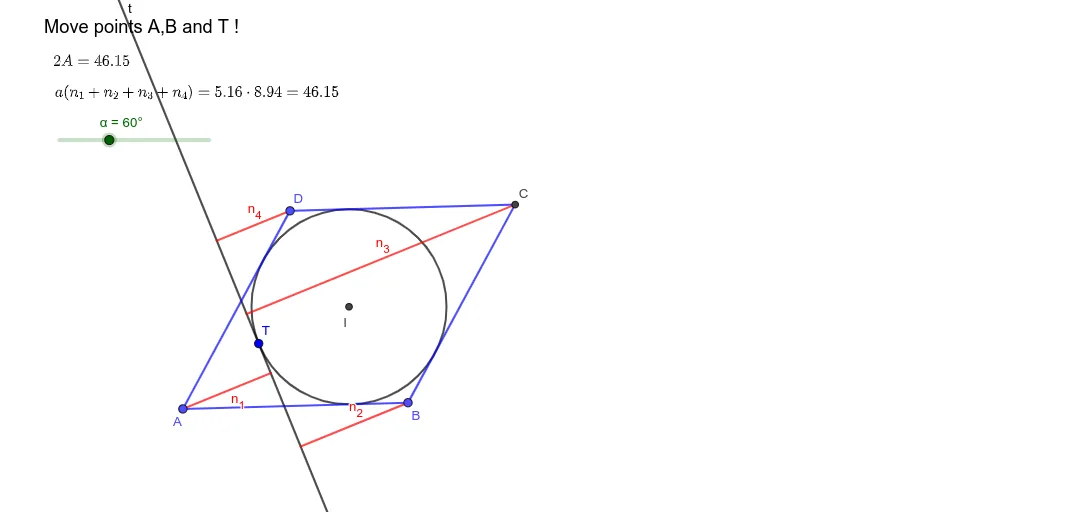
This example demonstrates the geometric meaning of the rhombus area formula A=½d₁d₂ by dynamically dragging vertices to show the relationship between diagonals and area. Core mathematical concepts include rhombus properties, perpendicular bisecting diagonals, and area formula derivation. Construction points: Use Rotate to construct rhombus, Angle to measure interior angles, Polygon to draw and calculate area, Circle and Intersect to find diagonal intersection, OrthogonalLine to show perpendicular relationships. Suitable for middle school math teachers demonstrating area formula derivation or students exploring rhombus and parallelogram relationships.
GeoGebra Commands & Parameters
Segment(A, B) → aRotate(B, α, A) → DAngle(B, A, D) → βCircle(D, A) → cCircle(B, A) → dIntersect(c, d, 2) → CSegment(B, C) → gSegment(C, D) → hSegment(D, A) → iSegment(A, C) → jSegment(B, D) → kIntersect(j, k) → IOrthogonalLine(I, i) → lOrthogonalLine(I, h) → mIntersect(l, i) → EIntersect(m, h) → FIntersect(l, g) → GIntersect(m, a) → HCircle(I, H) → ePoint(e) → TTangent(T, e) → t,OrthogonalLine(A, t) → pOrthogonalLine(B, t) → qOrthogonalLine(C, t) → rOrthogonalLine(D, t) → sSegment(I, T) → t_1Angle(t_1, m) → γIntersect(t, p) → JIntersect(t, q) → KIntersect(t, r) → LIntersect(t, s) → MSegment(A, J) → n_1Segment(B, K) → n_2Segment(C, L) → n_3Segment(D, M) → n_4If(0° ≤ γ ≤ 180° - β, (-n_1) + n_2 + n_3 + n_4, 180° - β ≤ γ ≤ 180°, n_1 + n_2 + n_3 - n_4, 180° ≤ γ ≤ 360° - β, n_1 + n_2 - n_3 + n_4, 360° - β ≤ γ ≤ 360°, n_1 - n_2 + n_3 + n_4) → bPolygon(A, B, C, D) → q1, a_1, b_1, c_1, d_1
AI Drawing Prompt Reference
Construct a rhombus in the plane whose four vertices form a closed polygon (use a rotation-style construction for the shape). Draw both diagonals and mark their intersection point. Connect the intersection point to the relevant adjacent vertices to show the diagonal subdivision. At the intersection, draw two orthogonal lines to the corresponding diagonal directions, find the intersection points with the related segments, then use these points to build an auxiliary circle and the tangent condition. From the tangent’s contact point, drop perpendiculars to several lines and compute their intersections, obtaining segments from each rhombus vertex to those intersection points. Display the final rhombus with these auxiliary lines so it can animate by dragging the vertices to illustrate the diagonal–area relationship.
The prompt above was compiled from the original drawing commands and is for reference only.