
Geometric and Linear Programming Example: Constructing Orthonormal Basis
Loading the math board and drawing, please wait…
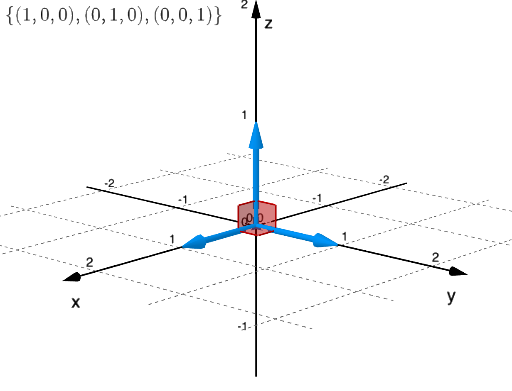
This example demonstrates how to construct an orthonormal basis using geometric figures and linear programming methods. Key mathematical concepts include orthogonality, vector spaces, and linear optimization. Construction involves GeoGebra commands like Sphere, Angle and objects such as button1, b1, b2. Suitable for high school students or college students learning the integration of geometry and linear programming.
GeoGebra Commands & Parameters
Sphere((0, 0, 0), 1) → eAngle(Vector[Element[b1, 2]], Vector[Element[b1, 3]]) → βAngle(Vector[Element[b1, 1]], Vector[Element[b1, 2]]) → γAngle(Vector[Element[b1, 3]], Vector[Element[b1, 1]]) → αAngle(Vector[Element[b2, 2]], Vector[Element[b2, 1]]) → εAngle(Vector[Element[b3, 2]], Vector[Element[b3, 3]]) → δAngle(Vector[Element[b3, 1]], Vector[Element[b3, 2]]) → ζAngle(Vector[Element[b3, 1]], Vector[Element[b3, 3]]) → η
AI Drawing Prompt Reference
Draw a unit sphere and construct three orthogonal vectors b1, b2, and b3 to form an orthonormal basis. First, create a sphere centered at (0,0,0) with radius 1. Then, use linear programming methods to construct b1, b2, and b3, ensuring they are pairwise orthogonal. Measure the angles between the vectors b1, b2, b3 to get angles α, β, γ, ε, δ, ζ, η.
The prompt above was compiled from the original drawing commands and is for reference only.