
GeoGebra Kite Geometry Construction
Loading the math board and drawing, please wait…
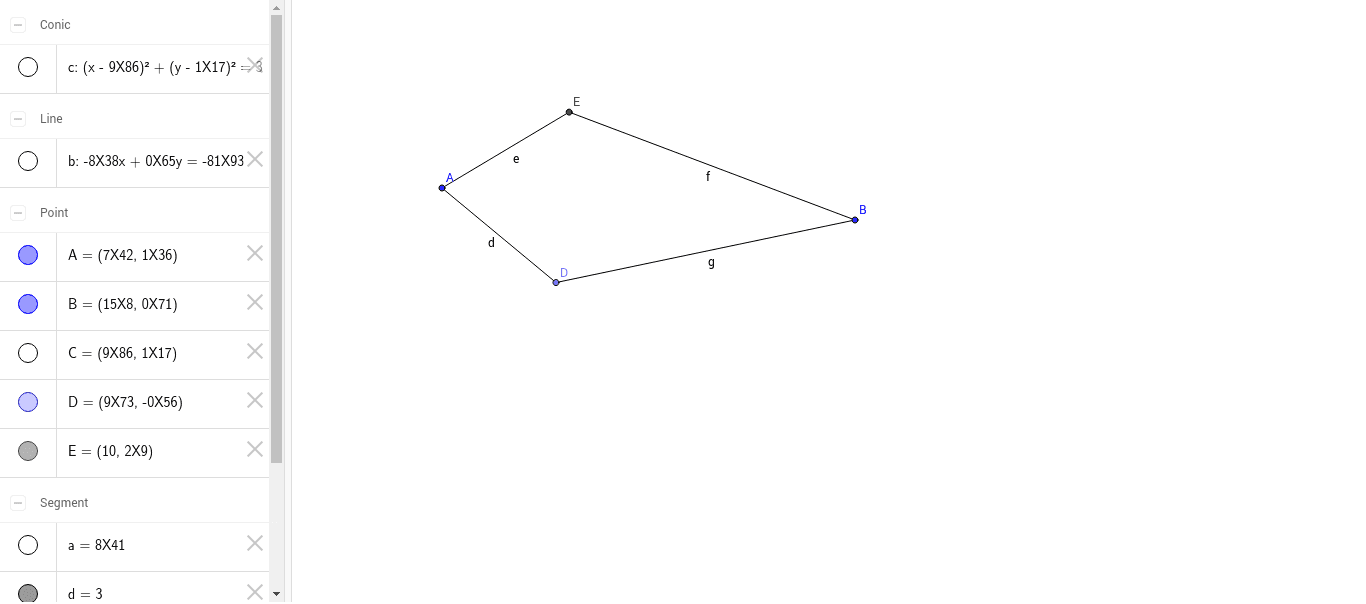
This GeoGebra example demonstrates the construction and geometric properties of a kite quadrilateral using fundamental construction tools. It illustrates key characteristics such as perpendicular diagonals and one diagonal bisecting the other. The construction employs GeoGebra commands Segment, Point, OrthogonalLine, Circle, and Intersect to define points and their intersections, thereby forming the kite shape. Core mathematical concepts include quadrilateral geometry, circle intersection operations, and perpendicular line construction. The activity is suitable for middle school to high school mathematics, particularly in geometry lessons focusing on quadrilateral properties, circle intersections, and diagonal relationships. It serves as an effective visual aid for students to intuitively grasp kite properties and construction methods.
GeoGebra Commands & Parameters
Segment(A, B) → aPoint(a) → COrthogonalLine(C, a) → bPoint(b) → DCircle(C, D) → cIntersect(c, b, 2) → ESegment(A, D) → dSegment(A, E) → eSegment(E, B) → fSegment(D, B) → g
AI Drawing Prompt Reference
Draw a kite-shaped quadrilateral. Begin with a line segment as one diagonal, choose a point on it, and construct a perpendicular line through that point. Mark a point on the perpendicular, then draw a circle centered at the point on the segment and passing through the point on the perpendicular; the circle meets the perpendicular again at a second point. Connect the two endpoints of the original segment to both points on the perpendicular to form the quadrilateral. The two diagonals should be perpendicular, and the diagonal along the perpendicular should be bisected by the original segment.
The prompt above was compiled from the original drawing commands and is for reference only.