
GeoGebra Geometric Construction: Intersection of Isosceles Triangle and Circle
Loading the math board and drawing, please wait…
In collections
Special Right Triangle (1): Thinking Classroom Exploration
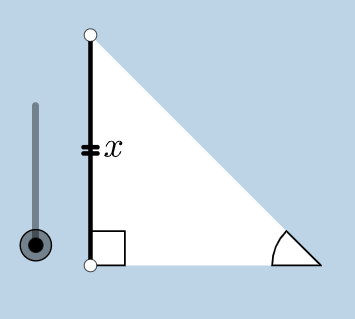
This example demonstrates the intersection of an isosceles triangle and a circle. Key mathematical concepts include geometric construction, intersection of circles and triangles. Construction involves using commands like Circle, Segment, OrthogonalLine, and objects like Point, Intersect. Suitable for middle school students learning geometry basics or for math teaching demonstrations.
GeoGebra Commands & Parameters
Circle(B, C) → cSegment(B, C) → aOrthogonalLine(C, a) → bRotate(C, 45°, B) → C'Angle(C, B, C') → αRay(B, C') → dIntersect(b, d) → ASegment(A, C) → eSegment(B, A) → fPolygon(B, C, A) → poly1, a_1, b_1, c_1Line(B, C) → hPoint(h) → DPoint(h) → ERay(C, E) → iPoint(i) → FRay(C, F) → jDilate(B, If[0 < g ≤ 1, 1 - g, 0], C) → B'Segment(B, B') → kDilate(C, If[1 < g ≤ 2, 2 - g, 0], A) → C'_1Segment(C, C'_1) → lCircle(C, (0.2 * a)) → pIntersect(p, j, 1) → GIntersect(p, e, 1) → HIntersect(p, a, 1) → ICircle(A, (0.2 * a)) → qIntersect(q, e, 1) → JIntersect(q, f, 1) → KCircleSector(C, H, I) → sDilate(A, If[2 < g ≤ 3, 3 - g, 0], B) → A'Segment(A, A') → mCircleSector(A, K, J) → tRotate(s, If[3.5 < g ≤ 4.5, ((-(g - 3.5)) * pi / 2), -1.5707963267948966], C) → s'Dilate(A, If[5.5 < g ≤ 6.5, 6.5 - g, 0], B) → A'_1Vector(A, A'_1) → uTranslate(t, u) → t'Rotate(B, If[16 < g ≤ 17, ((-(g - 16)) * pi / 2), ((-pi)) / 2], C) → B'_1Rotate(B', If[4.5 < g ≤ 5.5, ((-(g - 4.5)) * pi / 2), -1.5707963267948966], C) → B''Segment(B'_1, B'') → k'Rotate(t', If[6.5 < g ≤ 7.5, (((-(g - 6.5)) * 5) * pi / 4), -3.92699], B) → t''Dilate(A, If[7.5 < g ≤ 8.5, 8.5 - g, 0], C) → A'_2Vector(A, A'_2) → vTranslate(t, v) → t'_1Rotate(t'_1, If[8.5 < g ≤ 9.5, (((-(g - 8.5)) * 3) * pi / 4), -2.356194490192345], C) → d_1Dilate(A, If[9.5 < g ≤ 10.5, 10.5 - g, 0], C) → A'_3Vector(A, A'_3) → wTranslate(t, w) → t'_2Rotate(t'_2, If[10.5 < g ≤ 11.5, ((-(g - 10.5)) * pi / 2), -1.5707963267948966], C) → e_1Angle(C, B, B'_1) → γAngle(B, C'_1, C) → βAngle(C'_1, C, B) → δCircle(B, (0.2 * a)) → r
AI Drawing Prompt Reference
Draw an isosceles triangle with a horizontal base and its apex on the perpendicular bisector of the base. Construct a circle centered at one endpoint of the base with radius equal to the base length, intersecting one side of the triangle. Place two points on the base, and from the base endpoint draw rays that meet the circle. Inside the triangle, create small circles centered at the base endpoints with radius one-fifth of the base, marking intersection points on the sides and base. From the apex and base endpoints, form circular sectors, then translate and rotate these sectors along the base to show dynamic transformations. The final figure includes the triangle, circles, rays, sectors, and auxiliary segments, illustrating geometric construction and motion.
The prompt above was compiled from the original drawing commands and is for reference only.