
GeoGebra Construction & Drag Test
Loading the math board and drawing, please wait…
In collections
Geometry Construction Journal: 2017-2018
This example demonstrates dynamic geometry constructions by dragging points, focusing on function graphs and probability distributions. It involves core math concepts like functions, probability & statistics, geometric transformations, and sequences. GeoGebra commands used include Ray, Point, Polygon, Segment, OrthogonalLine, Circle, Intersect, and Line. Suitable for high school and above, helping learners understand the dynamic relationship between functions, probability, and geometric constructions.
GeoGebra Commands & Parameters
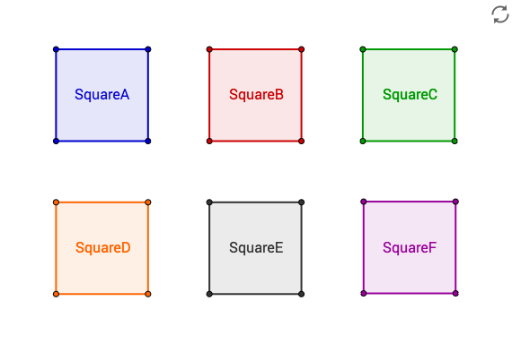
Ray(M, U) → d1Point(d1) → VPolygon(A, B, C, D) → SquareA, a, b, c, dSegment(E, F) → eOrthogonalLine(F, e) → fCircle(F, E) → gIntersect(g, f, 2) → GOrthogonalLine(G, f) → hOrthogonalLine(E, e) → iIntersect(h, i) → HPolygon(E, F, G, H) → SquareB, e_1, f_1, g_1, h_1Segment(I, J) → jCircle(I, J) → kCircle(J, I) → pOrthogonalLine(I, j) → lOrthogonalLine(J, j) → mIntersect(p, m, 2) → KIntersect(k, l, 2) → LPolygon(I, J, K, L) → SquareF, i_1, j_1, k_1, l_1Segment(M, V) → nOrthogonalLine(M, n) → sSegment(Q, R) → tSegment(Q, S) → a1Line(S, t) → b1Line(R, a1) → c1Intersect(b1, c1) → TPolygon(Q, R, T, S) → SquareD, q_1, r_1, t_1, s_1OrthogonalLine(V, d1) → qPoint(q) → NOrthogonalLine(N, q) → rOrthogonalLine(M, n) → e1Intersect(r, e1) → OPolygon(M, V, N, O) → SquareC, m_1, v, n_1, oSegment(P, W) → f1Line(A1, f1) → h1Point(h1) → B1Polygon(P, W, B1, A1) → SquareE, p_1, w, b1_1, a1_1