
G_8.02 Special right triangles
Loading the math board and drawing, please wait…
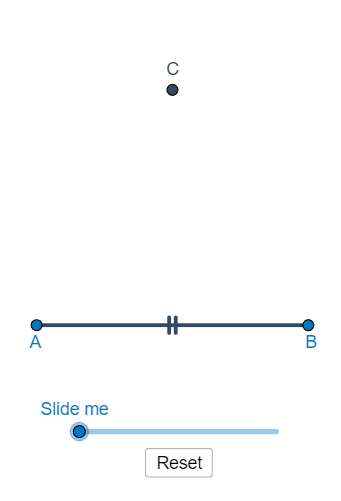
This example demonstrates the geometric construction and properties of special right triangles. Key mathematical concepts include right triangles, Pythagorean theorem, trigonometric functions, and geometric construction methods. Construction involves using GeoGebra commands such as Polygon, Dilate, Circle, Intersect, etc. to create triangles, circles, and related points. Suitable for middle or high school mathematics learning to understand the basic properties of right triangles and construction techniques.
GeoGebra Commands & Parameters
Polygon(A, B, 3) → poly1, a, b, c, CDilate(A, If[0 < d ≤ 1, 1 - d, 0], B) → A'Segment(A, A') → eDilate(B, If[1 < d ≤ 2, 2 - d, 0], C) → B'Dilate(C, If[2 < d ≤ 3, 3 - d, 0], A) → C'Segment(A, B) → hSegment(A, C) → iSegment(B, C) → jCircle(A, (0.15 * h)) → kIntersect(k, i, 1) → DIntersect(k, h, 1) → ECircleSector(A, E, D) → pRotate(A, If[3.5 < d ≤ 4.5, ((d - 3.5) * pi / 3), 1.0471975511965976], A) → A'_1Rotate(A', If[3.5 < d ≤ 4.5, ((d - 3.5) * pi / 3), 1.0471975511965976], A) → A''Segment(A'_1, A'') → e'Rotate(A, If[4.5 < d ≤ 5.5, ((-(d - 4.5)) * pi / 3), -1.0471975511965976], B) → A'_2Rotate(A', If[4.5 < d ≤ 5.5, ((-(d - 4.5)) * pi / 3), -1.0471975511965976], B) → A''_1Segment(A'_2, A''_1) → e'_1Dilate(A, If[6 < d ≤ 7, 7 - d, 0], B) → A'_3Vector(A, A'_3) → uTranslate(p, u) → p'Rotate(p', If[7 < d ≤ 8, (((d - 7) * 2) * pi / 3), 2.0943951023931953], B) → p''Circle(B, (0.15 * h)) → rIntersect(r, j, 1) → FIntersect(r, h, 1) → KDilate(B, If[8 < d ≤ 9, 9 - d, 0], C) → B'_1Vector(B, B'_1) → vTranslate(p'', v) → p'''Rotate(p''', If[9 < d ≤ 10, (((d - 9) * 2) * pi / 3), 2.0943951023931953], C) → tCircle(C, (0.15 * h)) → c_1Intersect(c_1, i) → M,Intersect(c_1, j) → N,Midpoint(h) → ODilate(C, If[10 < d ≤ 11, 11 - d, 0], O) → C'_1Segment(C, C'_1) → lCircle(O, (0.15 * h)) → d_1Intersect(d_1, h) → V_{1}, V_{2}Segment(C, O) → mIntersect(d_1, m, 1) → PPolygon(A, O, C) → poly2, c_2, a_1, oIntersect(c_1, m) → S,CircleSector(C, S, N) → e_1CircleSector(O, V_{2}, P) → f_1Segment(O, B) → nRotate(e_1, If[13 < d ≤ 14, ((-(d - 13)) * pi / 6), -0.5236], C) → h_1Rotate(O, If[13.25 < d ≤ 14.25, ((-(d - 13.25)) * pi), -3.141592653589793], O) → O'Rotate(B, If[14 < d ≤ 15, ((d - 14) * pi), 3.14159], O) → B'_2Segment(O', B'_2) → n'Segment(O, B) → b_1Dilate(C, If[15 < d ≤ 16, 16 - d, 0], A) → C'_2Vector(C, C'_2) → wTranslate(h_1, w) → q_1Dilate(C, If[17 < d ≤ 18, 18 - d, 0], A) → C'_3Vector(C, C'_3) → u_1Translate(h_1, u_1) → s_1Rotate(O', If[19 < d ≤ 20, ((d - 19) * pi / 3), 1.0472], A) → O''Rotate(B'_2, If[18.25 < d ≤ 19.25, ((d - 18.25) * pi / 3), 1.0471975511965976], A) → USegment(O'', U) → n''Rotate(O'', If[19.25 < d ≤ 20.25, ((d - 19.25) * pi), pi], O'') → O'''Rotate(U, If[20 < d ≤ 21, ((d - 20) * pi), pi], O'') → U'Segment(O''', U') → n'''Rotate(f_1, If[12 < d ≤ 13, ((d - 12) * pi / 2), 1.5708], O) → g_1Rotate(q_1, If[16 < d ≤ 17, (((-(d - 16)) * 4) * pi / 3), -4.18879], A) → r_1Rotate(s_1, If[18 < d ≤ 19, (((-(d - 18)) * 7) * pi / 6), -3.66519], A) → t_1Rotate(E, pi / 6, A) → E'Ray(A, E') → fCircle(A, (0.2 * h)) → qIntersect(q, f, 1) → GSegment(A, G) → gSequence(Rotate[(1, 0), i°, (0, 0)], i, 15, 360, 15) → list1Segment(H, I) → sCircle(H, I) → k_1OrthogonalLine(H, s) → i_1Intersect(k_1, i_1, 2) → JIntersect(k_1, i_1, 1) → LDilate(H, If[0 < j_1 ≤ 1, 1 - j_1, 0], I) → H'Segment(H, H') → l_1Rotate(H, If[1 < j_1 ≤ 2, ((j_1 - 1) * pi / 2), pi / 2], H) → H'_{1}Rotate(H', If[1 < j_1 ≤ 2, ((j_1 - 1) * pi / 2), pi / 2], H) → H''Segment(H'_{1}, H'') → m_1Angle(I, H, H'') → αDilate(J, If[2 < j_1 ≤ 3, 3 - j_1, 0], I) → J'Segment(J, J') → n_1Polygon(H, I, J) → t1, j_2, h_2, i_2Segment(H, I) → p_1Segment(I, J) → f_2Segment(J, H) → g_2Angle(I, H, H'') → βRotate(f_1, If[12 < d ≤ 13, ((d - 12) * pi / 2), 1.5708], O) → d_2CircleSector(O, V_{2}, P) → e_2Rotate(e_1, If[13 < d ≤ 14, ((-(d - 13)) * pi / 6), -0.5236], C) → k_2CircleSector(A, E, D) → p_2Translate(p, u) → p'_{1}Rotate(p', If[7 < d ≤ 8, (((d - 7) * 2) * pi / 3), 2.0943951023931953], B) → p''_{1}Translate(p'', v) → p'''_{1}Rotate(p''', If[9 < d ≤ 10, (((d - 9) * 2) * pi / 3), 2.0943951023931953], C) → q_2CircleSector(C, S, N) → r_2Translate(h_1, w) → s_2Translate(h_1, w) → t_2Rotate(q_1, If[16 < d ≤ 17, (((-(d - 16)) * 4) * pi / 3), -4.18879], A) → c_3Translate(h_1, u_1) → d_3Rotate(s_1, If[18 < d ≤ 19, (((-(d - 18)) * 7) * pi / 6), -3.66519], A) → e_3Intersect(d_1, m, 1) → TRotate(C, If[12 < d ≤ 13, ((d - 12) * pi / 2), 1.5708], O) → T'Rotate(B, If[12 < d ≤ 13, ((d - 12) * pi / 2), 1.5708], O) → QAngle(T', O, Q) → γAngle(C, O, B) → δAngle(T', O, Q) → εAngle(C, O, B) → ζSegment(A, C) → l_2Segment(A, O) → m_2
AI Drawing Prompt Reference
Construct a diagram of a special right triangle: start with a given triangle, draw its three sides, and choose circles centered at vertices with radii proportional to one side length. Compute intersection points between each circle and selected triangle sides, then use these points to form circular sector arcs that highlight the angle-related regions. Create additional corresponding points by translating and rotating the initial sector/points around the given vertices, and connect the resulting points with line segments. Use the midpoint of a side and an auxiliary circle centered at that midpoint to obtain further intersections, then draw the key segments that reveal the intended geometric relationships and repeating symmetry around the triangle.
The prompt above was compiled from the original drawing commands and is for reference only.