
Further Estimating Roots: Using GeoGebra's Root Command to Explore Function Zero
Loading the math board and drawing, please wait…
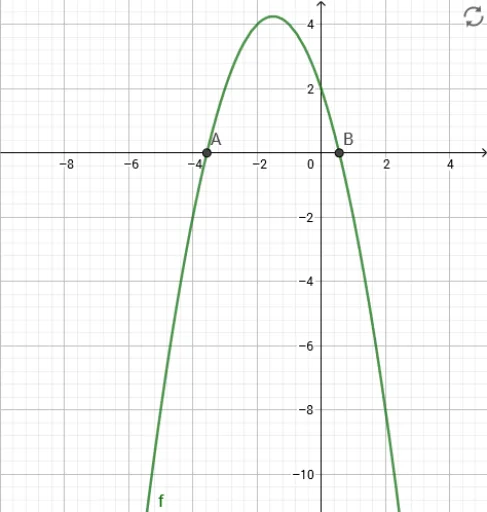
This example demonstrates how to further estimate the roots (zeros) of a function f using GeoGebra's Root command, providing an interactive visual representation of the root's location on the graph. The core mathematical concepts involve solving equations, finding function zeros, and numerical approximation. Construction highlights: the Root command is applied to the function object f, with points A and B typically used to define the search interval or serve as reference points, allowing the command to compute and display the root automatically. Suitable for high school and above when studying functions, equations, and numerical methods, and useful for teachers demonstrating the existence of roots and approximate solving processes in class.
GeoGebra Commands & Parameters
Root(f) → A, B
AI Drawing Prompt Reference
Draw a graph of a function with a smooth curve crossing the x-axis at two distinct points. Mark these two intersection points clearly with dots, one on the left and one on the right. The curve should visibly pass through the horizontal axis at these locations, not just touch it. Include labeled axes with tick marks for reference. The overall layout should be clean, making the approximate positions of the zeros easy to identify.
The prompt above was compiled from the original drawing commands and is for reference only.