
Function Transformations: Square Root, Quadratic, and Absolute Value
Loading the math board and drawing, please wait…
In collections
Graph Transformations
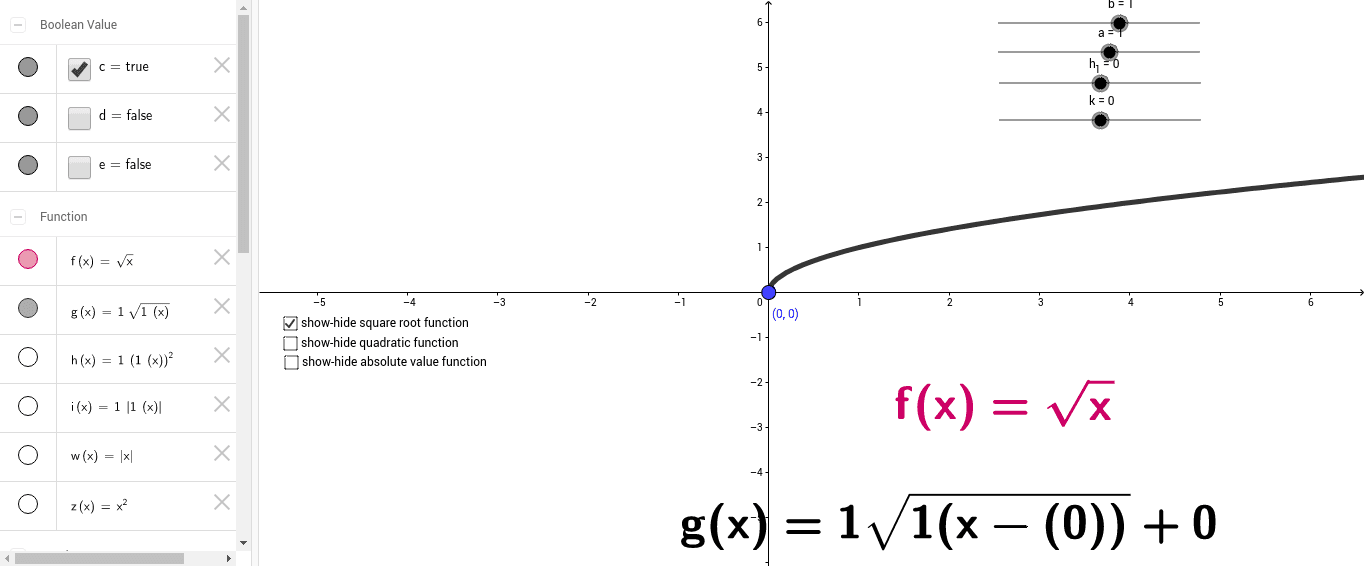
This GeoGebra example demonstrates the dynamic geometric transformations of square root, quadratic (quadratic), and absolute value (absolute, abs) functions. Core mathematical concepts include translations, stretches, reflections, and the algebraic control of vertex and standard forms. To construct this visualization, the `Function` command is used to define the core function objects `f`, `g`, and `h`. A system of parameter sliders—including `a`, `h_1`, `k`, `b`, `c`, `d`, `w`, `z`, `i`, and `e`—is employed to manipulate the coefficients, dynamically updating the curves and V-shapes. Dynamic text labels (`text1`, `text2`, `text3`) display the corresponding algebraic equations in real time. This tool is highly suitable for high school and college preparatory courses in algebra and precalculus, specifically for teaching function graphing and transformations.
GeoGebra Commands & Parameters
Function(a * (b * (x - h_1))^(2) + k, -10, 10) → hFunction(a * abs(b * (x - h_1)) + k, -10, 10) → i
AI Drawing Prompt Reference
Draw a quadratic function and an absolute value function. Use parameters a, b, h1, and k to change their shapes and positions. First, draw the quadratic function y = a * (b * (x - h1))^2 + k, then draw the absolute value function y = a * |b * (x - h1)| + k. Adjust these parameters with sliders to observe changes in the function graphs.
The prompt above was compiled from the original drawing commands and is for reference only.