
Function or Not? Dynamically Visualizing Functions, Riemann Sums, and Limits
Loading the math board and drawing, please wait…
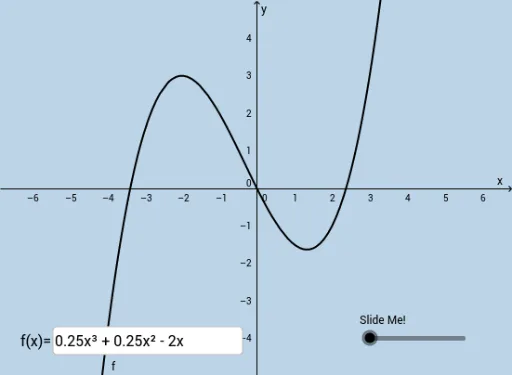
This example dynamically illustrates what makes a relation behave like a function by showing how function graphs are built and checked through plotted geometric components. It also visualizes upper and lower sums (Riemann-sum style) so that students can observe how the approximating quantities evolve and converge as the partition becomes finer, highlighting the limit process. Key concepts include function graphs, upper/lower sum interpretation of area-like quantities, convergence toward a limiting value, and (optionally) the role of exponential-type behavior reflected by the included parameters. Construction-wise, it uses GeoGebra commands such as Point to place key vertices (A, B, C and their primed/shifted variants), Vector together with Dilate to create and scale the geometric segments that represent each sub-interval’s contribution, and Textfield/Text plus interactive controls (button and input box objects) to label relationships and drive the dynamic behavior. Suitable for high school advanced topics through early calculus courses and for classroom demonstrations on graph-based reasoning, Riemann sums, and limits.
GeoGebra Commands & Parameters
Point(f) → ADilate(C, If[0 < a ≤ 1, 1 - a, 0], B) → C'Vector(C, C') → uDilate(B, If[1 < a ≤ 2, 2 - a, 0], A) → B'Vector(B, B') → vTextfield(f) → InputBox1
AI Drawing Prompt Reference
Create a dynamic geometry-style visualization to help decide whether a relation behaves like a function. Place key points that form a piecewise geometric skeleton, then use an interactive parameter to scale and reposition these points and their connecting segments smoothly. Add displacement directions represented by vectors so that the segment contributions shift according to the parameter. Use two linked scaling-and-shift steps to reflect how the geometric components are built and checked for the function-graph idea. Include a text input field that the viewer can edit to drive the dynamic behavior, and show a label for the entered relationship.
The prompt above was compiled from the original drawing commands and is for reference only.