
From Triangle to Parallelogram (I)
Loading the math board and drawing, please wait…
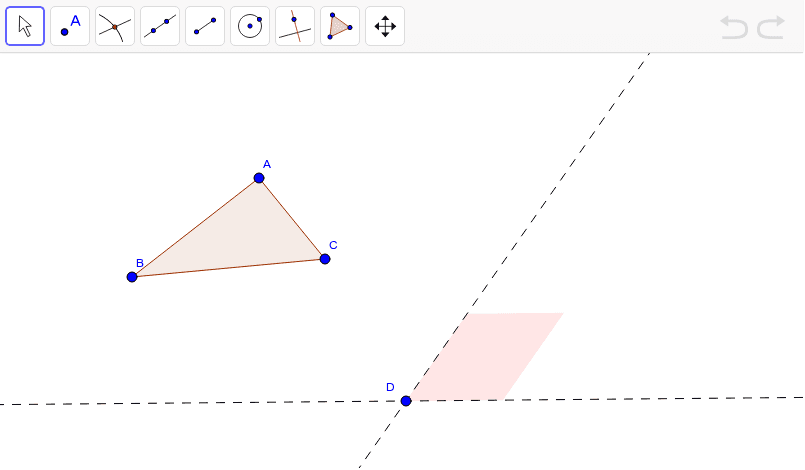
This example demonstrates how to construct a parallelogram from a triangle and explore its geometric properties. Core math concepts include parallelogram, special points, optimization problems, set theory, exponential functions, and cones. Construction highlights involve commands/objects like Polygon, Line, Midpoint, Circle, Intersect, and OrthogonalLine from GeoGebra. Suitable for high school mathematics teaching, focusing on geometric construction and property investigation.
GeoGebra Commands & Parameters
Polygon(A, B, C) → poly1, c, a, bLine(D, E) → fLine(D, F) → gMidpoint(B, C) → GCircle(D, Segment[G, C]) → dIntersect(d, f, 2) → HLine(H, g) → hOrthogonalLine(A, a) → iIntersect(i, a) → ICircle(H, Segment[A, I]) → eOrthogonalLine(H, f) → jIntersect(e, j, 2) → JLine(J, f) → kIntersect(k, h) → KIntersect(k, g) → LPolygon(L, K, H, D) → target, l, k_1, h_1, d_1
AI Drawing Prompt Reference
Draw a triangle ABC first, then construct a parallelogram ABCD. Start by connecting points A, B, and C to form the triangle. Next, use point D to draw a line parallel to BC and another parallel to AC to find the other two vertices H and L of the parallelogram. Finally, connect these points to form the parallelogram.
The prompt above was compiled from the original drawing commands and is for reference only.