
Fraction Rotation and Transformation
Loading the math board and drawing, please wait…
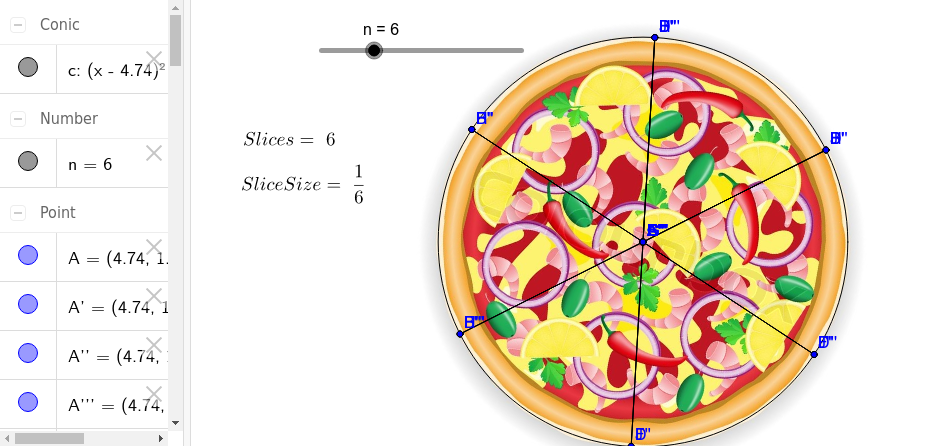
This example uses a pizza to demonstrate the inverse relationship in fractions. It involves the core math concepts of fractions and their inverse relationships. Using GeoGebra commands such as Circle, Segment, Rotate, students can visually understand the rotation and transformation of fractions. Suitable for high-grade elementary and junior high school students.
GeoGebra Commands & Parameters
Circle(A, B) → cSegment(A, B) → aRotate(A, (360 / n)°, A) → A'Rotate(B, (360 / n)°, A) → B'Segment(A', B') → a'Rotate(A', (360 / n)°, A) → A''Rotate(B', (360 / n)°, A) → B''Segment(A'', B'') → a''Rotate(A'', (360 / n)°, A) → A'''Rotate(B'', (360 / n)°, A) → B'''Segment(A''', B''') → a'''Rotate(A''', (360 / n)°, A) → CRotate(B''', (360 / n)°, A) → DSegment(C, D) → bRotate(C, (360 / n)°, A) → C'Rotate(D, (360 / n)°, A) → D'Segment(C', D') → b'Rotate(C', (360 / n)°, A) → C''Rotate(D', (360 / n)°, A) → D''Segment(C'', D'') → b''Rotate(C'', (360 / n)°, A) → C'''Rotate(D'', (360 / n)°, A) → D'''Segment(C''', D''') → b'''Rotate(C''', (360 / n)°, A) → ERotate(D''', (360 / n)°, A) → FSegment(E, F) → dRotate(E, (360 / n)°, A) → E'Rotate(F, (360 / n)°, A) → F'Segment(E', F') → d'Rotate(E', (360 / n)°, A) → E''Rotate(F', (360 / n)°, A) → F''Segment(E'', F'') → d''Rotate(E'', (360 / n)°, A) → E'''Rotate(F'', (360 / n)°, A) → F'''Segment(E''', F''') → d'''Rotate(E''', (360 / n)°, A) → GRotate(F''', (360 / n)°, A) → HSegment(G, H) → eRotate(G, (360 / n)°, A) → G'Rotate(H, (360 / n)°, A) → H'Segment(G', H') → e'Rotate(G', (360 / n)°, A) → G''Rotate(H', (360 / n)°, A) → H''Segment(G'', H'') → e''Rotate(G'', (360 / n)°, A) → G'''Rotate(H'', (360 / n)°, A) → H'''Segment(G''', H''') → e'''Rotate(G''', (360 / n)°, A) → IRotate(H''', (360 / n)°, A) → JSegment(I, J) → fRotate(I, (360 / n)°, A) → I'Rotate(J, (360 / n)°, A) → J'Segment(I', J') → f'Rotate(I', (360 / n)°, A) → I''Rotate(J', (360 / n)°, A) → J''Segment(I'', J'') → f''Rotate(I'', (360 / n)°, A) → I'''Rotate(J'', (360 / n)°, A) → J'''Segment(I''', J''') → f'''
AI Drawing Prompt Reference
Draw a circle and start with a radius from the center. Rotate this radius multiple times around the center, each time by an angle of 360 degrees divided by an integer n. After each rotation, draw the new radius and repeat the process. Continue until multiple rotated radii are drawn, then connect the endpoints of these radii to form a polygon, demonstrating the rotation and transformation of fractions.
The prompt above was compiled from the original drawing commands and is for reference only.