
Fraction Order Chain: Interactive Practice on Comparing and Ordering Fractions
Loading the math board and drawing, please wait…
In collections
Zahlenstrahl und Ordnen von Brüchen
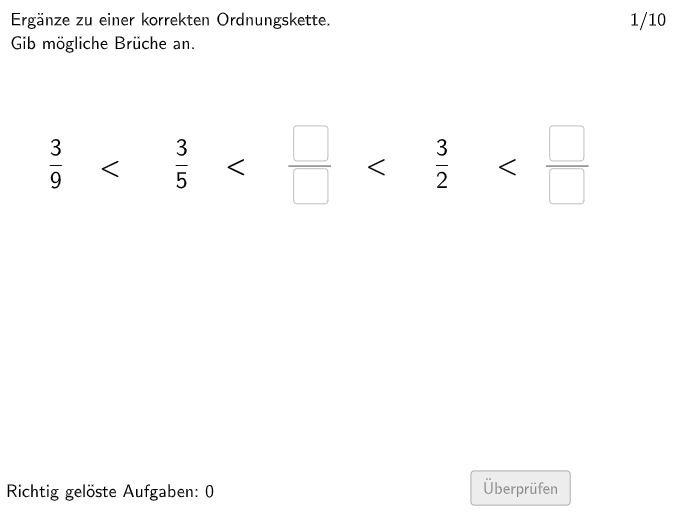
This GeoGebra example, titled 'Ordnungskette' (Order Chain), is an interactive exercise that demonstrates how to compare and order fractions, reinforcing the concept of fractions as relative parts of a whole. The core mathematical concepts include fraction meaning, comparison of fractions, and basic fraction operations. The construction uses GeoGebra commands such as Sequence, Element, Textfield, and Polygon to create multiple input fields (input1 to input7), random number generators (randomNosForX), fraction matrices (MatrixZaehler, MatrixNenner, MatrixGanze), and interactive buttons (btnValidate, showanswer) for validation and feedback. It dynamically generates problems, allows students to enter answers, and provides immediate feedback. This resource is suitable for students in grades 5-6, serving as a classroom activity or homework to strengthen their understanding of fractions and operations.
GeoGebra Commands & Parameters
Sequence(i, i, 1, 10) → randomNosForXElement(randomNosForX, questionCount) → questionNumTextfield(input1) → InputBox1Textfield(input2) → InputBox2Polygon(PtopLeftCornerFeedback, PtopRightCornerFeedback, PbottomRightCornerFeedback, PbottomLeftCornerFeedback) → rectangleCorrect1, ptopleftcornerfeedback, ptoprightcornerfeedback, pbottomrightcornerfeedback, pbottomleftcornerfeedbackTextfield(input3) → InputBox3Textfield(input4) → InputBox4Textfield(input5) → InputBox5Textfield(input6) → InputBox6Textfield(input7) → InputBox7
AI Drawing Prompt Reference
Create an interactive exercise showing how to compare and order fractions. Include seven input boxes for students to enter fractions, a randomly generated rectangle, and buttons to dynamically display correct answers. The rectangle is formed by connecting four vertices, whose positions change randomly to provide feedback on students' answers. The design aims to help students understand the meaning and comparison of fractions.
The prompt above was compiled from the original drawing commands and is for reference only.