
Fraction Multiplication by Ethan Hall
Loading the math board and drawing, please wait…
In collections
Primary School Mathematics Collection
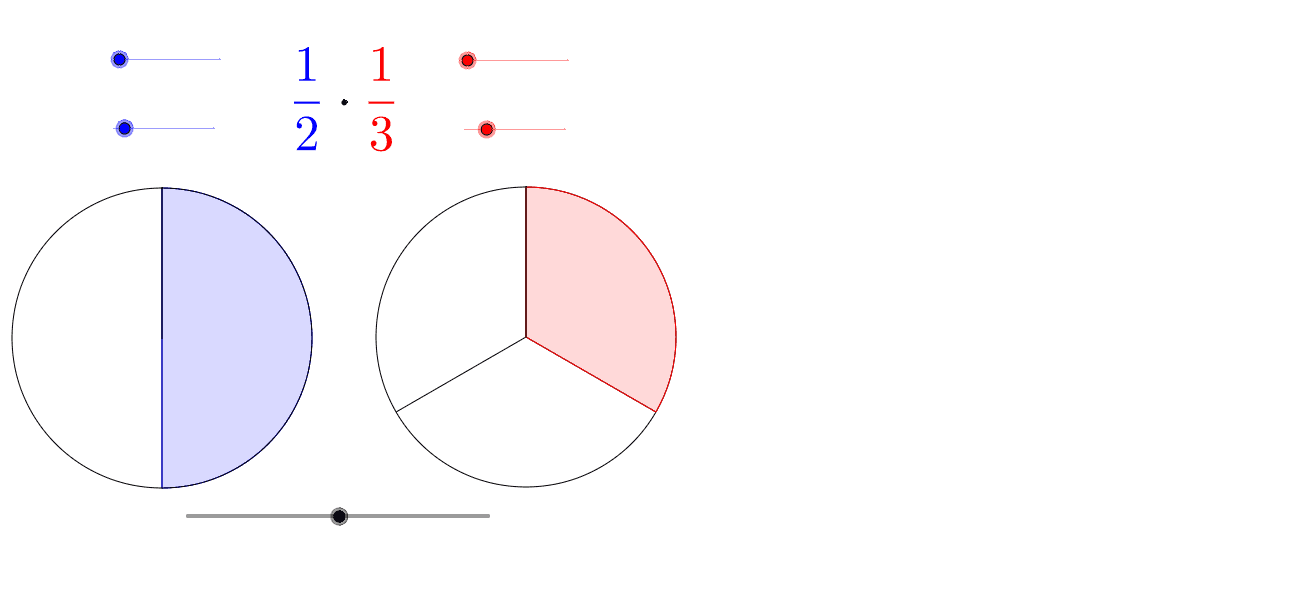
This example demonstrates the process of fraction multiplication using slider animation. Key mathematical concepts include fractions and multiplication. It utilizes commands such as Sequence, CircleArc, Segment, and CircleSector in GeoGebra.
GeoGebra Commands & Parameters
Max(0, abs(t) - 5) → ntMin(nt, 100) → t1Max(0, nt - 100) → t2If(b, BA, AA) → CIf(b, 1, (den1 - ts * (den1 - en1)) / den1) → f1Sequence(Segment[B, Rotate[B1, -f1 * 2 * π * i / den2, B]], i, 0, den2 - 1) → list2CircleArc(B, Rotate[B1, -2 * π * f1, B], B1) → fSegment(B, Rotate[B1, -2 * π * f1, B]) → aCircleSector(B, Rotate[B1, -f1 * 2 * π * en2 / den2, B], B1) → dSequence(Segment[C, Rotate[C1, 2 * π * i / den3, C]], i, 1, den3 - 1) → list3If(b, (den2 - ts * (den2 - en2)) / den2, 1) → f2CircleSector(A, Rotate[A1, -f2 * 2 * π * en1 / den1, A], A1) → cSequence(Segment[A, Rotate[A1, -f2 * 2 * π * i / den1, A]], i, 0, den1 - 1) → list1CircleArc(A, Rotate[A1, -2 * π * f2, A], A1) → eSegment(A, Rotate[A1, -2 * π * f2, A]) → g
AI Drawing Prompt Reference
Create an animation using a slider to demonstrate the process of multiplying fractions. Show the geometric meaning of multiplying two fractions, with sectors and arcs representing parts of the fractions, and segments connecting them to form the complete multiplication graphic. First draw the sectors and arcs for the fractions, then connect the parts, and finally use the slider to dynamically display the fraction multiplication process.
The prompt above was compiled from the original drawing commands and is for reference only.