
Prime Factors Demo
Loading the math board and drawing, please wait…
In collections
Geo&Alg:Area Volume Pythagorean Th.
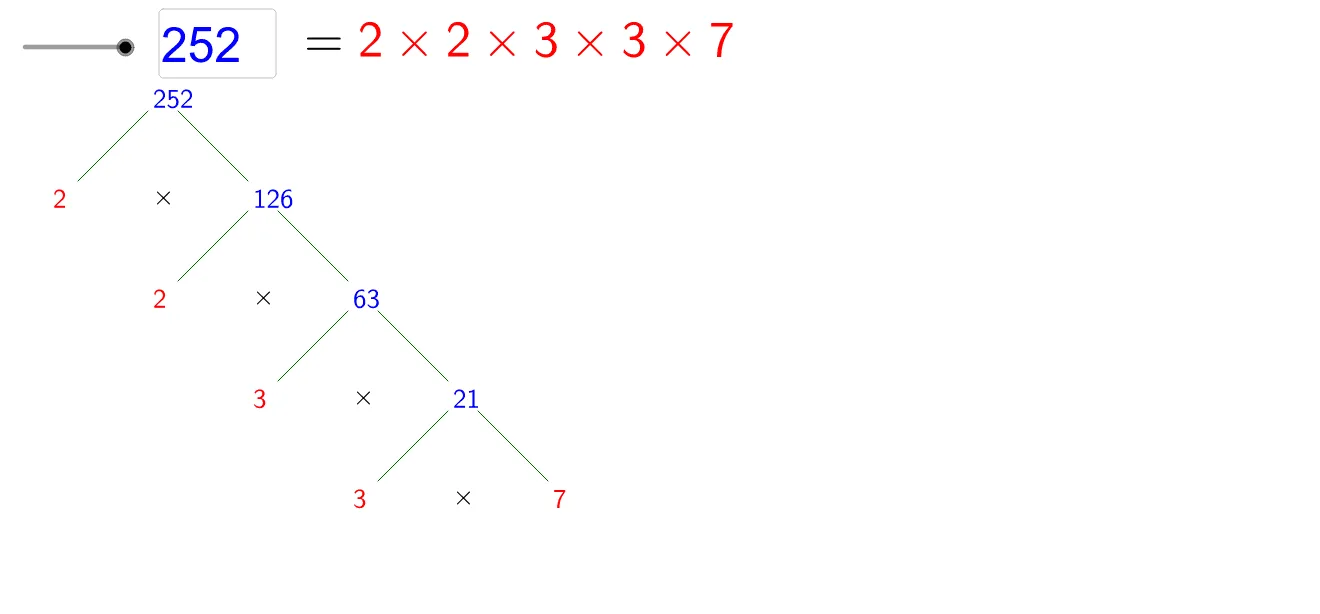
This example demonstrates the step-by-step process of prime factorization for positive integers. It involves core math concepts like prime checking, factorization, and number theory. Constructed using GeoGebra commands such as Factors, Join, Vector, Textfield, Sequence, Mirror, IsPrime, Text, with objects like comp, n, height, fm, factors, VP, VVP, etc. Suitable for middle school and above students learning number theory basics and algorithms.
GeoGebra Commands & Parameters
Factors(n) → fmJoin(Sequence[Sequence[Element[Element[fm, i], 1], j, 1, Element[Element[fm, i], 2]], i, 1, Length[fm]]) → factorsVector(VVP) → vuTextfield(n) → inputBox1Vector(VP) → uSequence(ANC + i * u, i, 0, Length[factors] - 1) → list2Sequence(Product[Sequence[Element[factors, j], j, i, Length[factors]]], i, 1, Length[factors]) → list1Mirror(u, x = 0) → u2Sequence(Element[list2, i] + u2, i, 1, Length[list2] - 1) → list3Sequence(Text["\" + (If[i ≟ Length[list1], "red", "blue"]) + "{" + (Element[list1, i]) + "}", Element[list2, i], false, true], i, 1, len) → list4Sequence(Text["\red{" + (Element[factors, i]) + "}", Element[list3, i], false, true], i, 1, len - 1) → list5Sequence(Segment[Element[list2, i] + hv, Element[list2, i + 1]], i, 1, len - 1) → list6Sequence(Segment[Element[list2, i] + hvu, Element[list3, i] + wu], i, 1, len - 1) → list7Sequence(Text["\times", Element[list2, i] + vu, false, true], i, 1, len - 1) → list8IsPrime(n) → ipText(If[ip, "\ Is\ Prime!", "=\red{" + (Sum[Sequence[If[i ≟ 1, "", "\times"] + (Element[factors, i]), i, 1, Length[factors]]]) + "}"], B, false, true) → text1
AI Drawing Prompt Reference
Draw a diagram showing the prime factorization process of a positive integer n, displaying prime factors and their multiplication result. Use blue and red arrows to represent the multiplication of prime factors, blue arrows to connect prime factors, and red arrows to connect the products, labeling the numbers on the arrows. Finally, indicate below whether it is a prime number, showing 'Is Prime!' if it is, or the product of all prime factors if not.
The prompt above was compiled from the original drawing commands and is for reference only.