
Fraction Expansion Factor Practice
Loading the math board and drawing, please wait…
In collections
Bruchzahlen: Erweitern und Kürzen
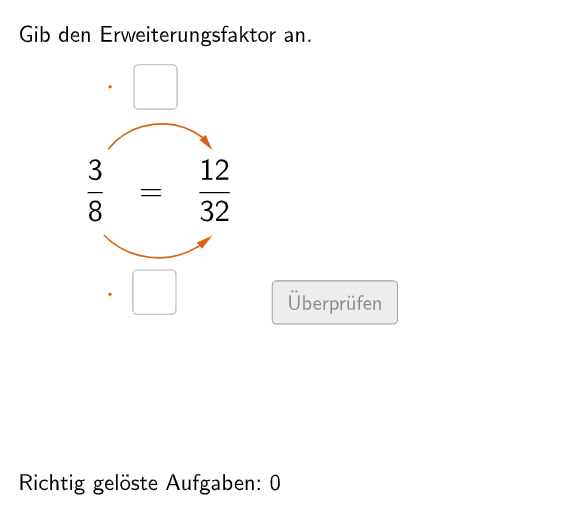
An interactive fraction expansion exercise where students determine the expansion factor. The program randomly generates fraction expansion problems and requires students to input the correct factor through text fields. It validates answers in real-time and tracks correct attempts. The core mathematical concept is fraction expansion (multiplying numerator and denominator by the same non-zero integer). The construction uses GeoGebra commands including Textfield for input boxes, If and Element for answer validation, Polygon and CircleArc for visual representation of fractions. Designed for grade 5-6 students to practice fraction operations.
GeoGebra Commands & Parameters
Join({{8}, Shuffle[Sequence[Random[2, 10], i, 1, 100]]}) → randomNosForYElement(randomNosForY, Mod[questionCount, 100]) → numYJoin({{3}, Shuffle[Sequence[Random[1, numY - 1], i, 1, 100]]}) → randomNosForXElement(randomNosForX, Mod[questionCount, 100]) → numXJoin({{4}, Shuffle[Sequence[Random[2, 10], i, 1, 100]]}) → randomNosForZElement(randomNosForZ, Mod[questionCount, 100]) → numZIf(questionCount ≟ 1, aInput ≟ 4, aInput ≟ numZ) → correct1If(questionCount ≟ 1, bInput ≟ 4, bInput ≟ numZ) → correct2Textfield(aInput) → InputBox1Textfield(bInput) → InputBox2Polygon(PtopLeftCornerFeedback, PtopRightCornerFeedback, PbottomRightCornerFeedback, PbottomLeftCornerFeedback) → rectangleCorrect, ptopleftcornerfeedback, ptoprightcornerfeedback, pbottomrightcornerfeedback, pbottomleftcornerfeedbackDefined((aInput * bInput)) → fixedCircleArc(C, D, E) → cCircleArc(F, G, H) → dPoint(c) → IVector(I, J) → uPoint(d) → KVector(K, L) → vPolygon(PtopLeftCornerFeedback_{1}, PtopRightCornerFeedback_{1}, PbottomRightCornerFeedback_{1}, PbottomLeftCornerFeedback_{1}) → rectangleCorrect_{1}, ptopleftcornerfeedback_{1}, ptoprightcornerfeedback_{1}, pbottomrightcornerfeedback_{1}, pbottomleftcornerfeedback_{1}CircleArc(M, N, O) → eCircleArc(P, Q, R) → fPoint(e) → SVector(S, T) → wPoint(f) → UVector(U, V) → a
AI Drawing Prompt Reference
Create an interactive geometry exercise for fraction expansion practice, randomly generating problems where students input the expansion factor in text boxes. Real-time answer validation and tracking of correct attempts are included. Use polygons and arcs to visually represent fractions, designed for 5-6th grade students to practice fraction operations.
The prompt above was compiled from the original drawing commands and is for reference only.