
Fraction Expansion and Simplification Visual Practice
Loading the math board and drawing, please wait…
In collections
Bruchzahlen: Erweitern und Kürzen
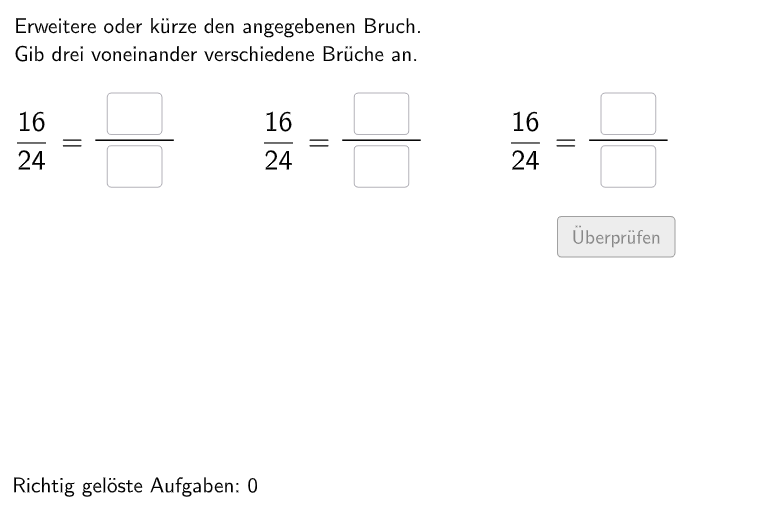
This is an interactive fraction operation exercise designed to help students master fraction expansion (Erweitern) and simplification (Kürzen). The example generates random expansion factors and fraction problems, allowing students to input numerators and denominators directly in a visual interface. The construction uses Shuffle to randomly arrange problems, Textfield and InputBox to create input interfaces, Polygon and Segment to draw fraction visualization graphics, Corner to position elements, and CircleArc and Vector for auxiliary composition. The entire exercise includes multiple sets of random fraction problems, receiving student answers through InputBox and providing immediate feedback. Suitable for Grade 5-6 students, it can be used for classroom practice or after-school consolidation, training students' number sense and fraction operation skills.
GeoGebra Commands & Parameters
Shuffle(Sequence[Random[2, 10], i, 1, 100]) → randomNosForErweiterungsZahl, {4, 7, 8, 6, 6, 9, 10, 10, 10, 8, 5, 10, 2, 3, 7, 5, 7, 7, 4, 8, 3, 5, 3, 3, 9, 2, 2, 8, 5, 10, 7, 5, 10, 5, 9, 2, 5, 7, 9, 9, 8, 4, 8, 3, 6, 8, 5, 9, 3, 8, 7, 10, 2, 9, 2, 6, 5, 5, 4, 6, 8, 8, 3, 4, 8, 10, 4, 4, 2, 2, 7, 4, 7, 6, 6, 6, 2, 7, 4, 4, 7, 9, 2, 5, 4, 6, 2, 8, 3, 6, 5, 10, 4, 4, 9, 9, 2, 7, 9, 7}Element(randomNosForErweiterungsZahl, Mod[questionCount, 100] + 1) → erweiterungsZahlShuffle(Sequence[Random[2, 10], i, 1, 100]) → randomNosForX, {6, 8, 10, 6, 4, 8, 10, 8, 3, 3, 6, 8, 6, 2, 5, 10, 2, 10, 3, 4, 6, 7, 3, 5, 9, 7, 9, 7, 10, 3, 2, 8, 6, 7, 2, 3, 3, 8, 5, 5, 6, 8, 5, 8, 6, 9, 6, 8, 10, 6, 10, 2, 5, 5, 2, 6, 3, 7, 9, 9, 4, 8, 4, 2, 2, 4, 9, 5, 7, 2, 8, 5, 6, 8, 6, 8, 8, 7, 2, 8, 10, 9, 2, 3, 6, 10, 3, 5, 3, 10, 10, 2, 5, 2, 3, 10, 8, 3, 4, 4}Element(randomNosForX, Mod[questionCount, 100] + 1) → numXShuffle(Sequence[Random[1, numX - 1], i, 1, 100]) → randomNosForY, {1, 1, 2, 2, 2, 1, 1, 1, 2, 2, 2, 2, 2, 1, 2, 1, 2, 2, 1, 1, 1, 1, 2, 1, 2, 1, 1, 2, 2, 2, 1, 2, 1, 1, 2, 2, 1, 2, 2, 1, 2, 1, 1, 2, 2, 2, 1, 2, 2, 2, 1, 1, 1, 2, 2, 2, 1, 1, 1, 2, 2, 1, 1, 2, 2, 1, 2, 1, 2, 1, 1, 1, 2, 2, 1, 2, 1, 2, 2, 2, 2, 2, 1, 1, 1, 2, 2, 2, 1, 2, 2, 1, 2, 1, 2, 1, 1, 1, 2, 2}Element(randomNosForY, Mod[questionCount, 100] + 1) → numYTextfield(fInput) → InputBox6Textfield(eInput) → InputBox5Textfield(cInput) → InputBox3Textfield(dInput) → InputBox4Textfield(aInput) → InputBox1Textfield(bInput) → InputBox2Corner(frac1, 3) → Corner1Polygon(PtopLeftCornerFeedback, PtopRightCornerFeedback, PbottomRightCornerFeedback, PbottomLeftCornerFeedback) → rectangleCorrect, ptopleftcornerfeedback, ptoprightcornerfeedback, pbottomrightcornerfeedback, pbottomleftcornerfeedbackCorner(frac2, 3) → Corner2Corner(frac3, 3) → Corner3Segment(Corner1 + (-0.1, -0.6), Corner1 + (-0.2 + lengthFraction, -0.6)) → fSegment(Corner2 + (-0.1, -0.6), Corner2 + (-0.2 + lengthFraction, -0.6)) → gSegment(Corner3 + (-0.1, -0.6), Corner3 + (-0.2 + lengthFraction, -0.6)) → hDefined((((((aInput * bInput) * cInput) * dInput) * eInput) * fInput)) → fixedCircleArc(A, B, C) → cPoint(c) → DVector(D, E) → uCircleArc(F, G, H) → dPoint(d) → IVector(I, J) → vCircleArc(A_{1}, B_{1}, C_{1}) → c_{1}Point(c_{1}) → D_{1}Vector(D_{1}, E_{1}) → u_{1}CircleArc(F_{1}, G_{1}, H_{1}) → d_{1}Point(d_{1}) → I_{1}Vector(I_{1}, J_{1}) → v_{1}CircleArc(A_{2}, B_{2}, C_{2}) → c_{2}Point(c_{2}) → D_{2}Vector(D_{2}, E_{2}) → u_{2}CircleArc(F_{2}, G_{2}, H_{2}) → d_{2}Point(d_{2}) → I_{2}Vector(I_{2}, J_{2}) → v_{2}Polygon(PtopLeftCornerFeedback_{1}, PtopRightCornerFeedback_{1}, PbottomRightCornerFeedback_{1}, PbottomLeftCornerFeedback_{1}) → rectangleCorrect_{1}, ptopleftcornerfeedback_{1}, ptoprightcornerfeedback_{1}, pbottomrightcornerfeedback_{1}, pbottomleftcornerfeedback_{1}Polygon(PtopLeftCornerFeedback_{2}, PtopRightCornerFeedback_{2}, PbottomRightCornerFeedback_{2}, PbottomLeftCornerFeedback_{2}) → rectangleCorrect_{2}, ptopleftcornerfeedback_{2}, ptoprightcornerfeedback_{2}, pbottomrightcornerfeedback_{2}, pbottomleftcornerfeedback_{2}
AI Drawing Prompt Reference
Create an interactive fraction operation exercise with randomly generated expansion and simplification problems. Include input boxes for students to enter numerators and denominators, use polygons and line segments to visualize fractions, and provide immediate feedback with randomly arranged problems, suitable for 5th-6th grade students.
The prompt above was compiled from the original drawing commands and is for reference only.