
Fraction and Decimal Positions on a Number Line
Loading the math board and drawing, please wait…
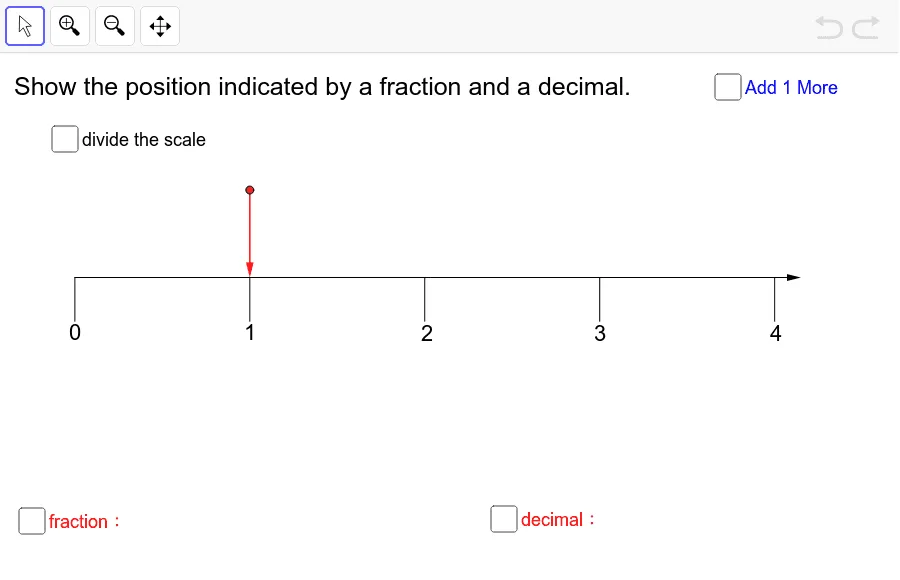
This example demonstrates how to locate points on a number line using both fractions and decimals by subdividing intervals into equal parts and marking the corresponding positions. It highlights key ideas such as number line representation, the equivalence between fractional and decimal forms, and the construction strategy of creating fine-grained ticks from a chosen unit segment. The GeoGebra construction uses core commands Point, Segment, Sequence, and Vector to define key points and line segments, then generate subdividing tick marks via sequence data (e.g., “细分刻度”/tick subdivisions). Visible objects like initialpixelperunit, several labeled points (O, Q, R, S, T, U, V, W, Z), additional points for specific fractions (A_1, B_1, A2, A3, A4), and text elements (text1, text12–text16, text3) are used to label the fraction/decimal positions clearly. Suitable for primary to middle school learners and for classroom demonstrations focused on numbers and algebra representation.
GeoGebra Commands & Parameters
Point(yAxis) → BSegment((0, -0.55), (0, -0.8)) → bSequence(Segment[(i, 0), (i, -1 * 0.25)], i, 0, 4) → list6Sequence(Segment[((2 * i - 1) / 2, 0), ((2 * i - 1) / 2, -1 * 0.2)], i, 1, 4) → list7Sequence(Sequence[Segment[(i / 2 + 0.1 * j, 0), (i / 2 + 0.1 * j, -1 * 0.15)], j, 1, 4], i, 0, 7) → list8Sequence(Sequence[Segment[(i / 20 + 0.01 * j, 0), (i / 20 + 0.01 * j, -1 * 0.06)], j, 1, 4], i, 0, 79) → list9Sequence(Segment[((2 * i - 1) / 20, 0), ((2 * i - 1) / 20, -1 * 0.1)], i, 1, 40) → list10Point(Sequence[(i, L / 2), i, 0, 4, 0.01]) → AVector((0, 0), (4.15, 0)) → aVector(A, (x(A), 0)) → uPoint(Sequence[(i, L / 2), i, 0, 4, 0.01]) → A'Vector(A', (x(A'), 0)) → v
AI Drawing Prompt Reference
Draw a horizontal number line extending from 0 to 4.15 units. Place a point above the line at half its height and drop a perpendicular segment from it to the axis to indicate a reference direction. Create multiple levels of tick marks: first, integer marks at each whole unit; then, half-unit marks between integers; then, finer tenth-unit and hundredth-unit marks, with tick lengths decreasing as subdivisions increase. Label several key positions on the line with both fraction and decimal forms, such as 1/2, 1/4, and their decimal equivalents, using text labels. The final diagram shows a hierarchical tick system that clearly maps fractions and decimals to their exact locations on the number line.
The prompt above was compiled from the original drawing commands and is for reference only.