
Fraction Addition Demo by Dan
Loading the math board and drawing, please wait…
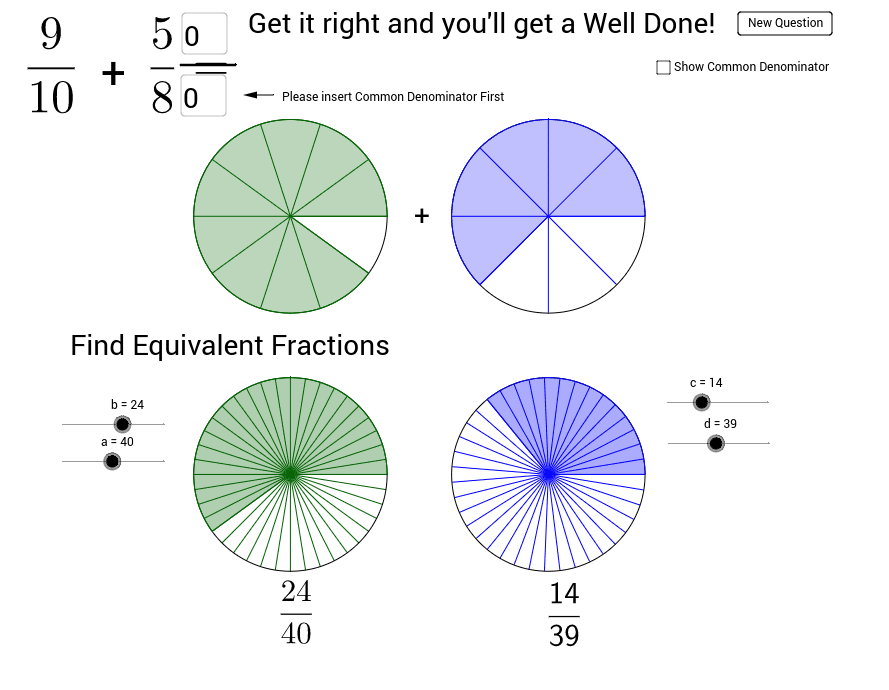
This example demonstrates the geometric interpretation of fraction addition through dynamic visuals, intuitively showing the process of fraction merging. Core math concepts include fraction operations, function graphs, vectors, and geometric transformations. Construction highlights utilize GeoGebra commands/objects like Random, Circle, Sequence, Sector, Textfield, Segment, If, Vector, etc., such as generating random fractions, drawing sectors to represent fractions, and using vectors for geometric transformations. Suitable for middle school and above, helping students understand the connection between fraction addition and geometric shapes, enhancing spatial reasoning skills.
GeoGebra Commands & Parameters
Random(2, 10) → D1Random(2, 10) → D2Random(1, D1 - 1) → N1Random(1, D2 - 1) → N2Circle((5, 5), 1.5) → C1Sequence(Rotate[B, 360° * i / D1, (5, 5)], i, 1, D1) → list1Sequence(Segment[A, Element[list1, i]], i, 1, D1) → list2Sector(C1, B, Element[list1, N1]) → c_1Circle((9, 5), 1.5) → C2Sequence(Rotate[D, 360° * i / D2, (9, 5)], i, 1, D2) → list3Sequence(Segment[C, Element[list3, i]], i, 1, D2) → list4Sector(C2, C, Element[list3, N2]) → d_1Circle((5, 1), 1.5) → C3Circle((9, 1), 1.5) → C4Sequence(Rotate[F, 360° * i / a, E], i, 1, a) → list5Sequence(Segment[E, Element[list5, i]], i, 1, a) → list6Sector(C3, E, Element[list5, b]) → eCircle((5, 1), 1.5) → C5Sequence(LCM[D1, D2] * i, i, 1, 5) → PossibleSequence(Rotate[H, 360° * i / d, G], i, 1, d) → list7Sequence(Segment[G, Element[list7, i]], i, 1, d) → list8Sector(C4, G, Element[list7, c]) → gCircle(G, 1.5) → C6Textfield(ans5) → inputBox5Segment(M, N) → jIf(ans6 ∈ Possible, true, false) → STextfield(ans1) → inputBox1Vector(O, P) → u