
Football Model
Loading the math board and drawing, please wait…
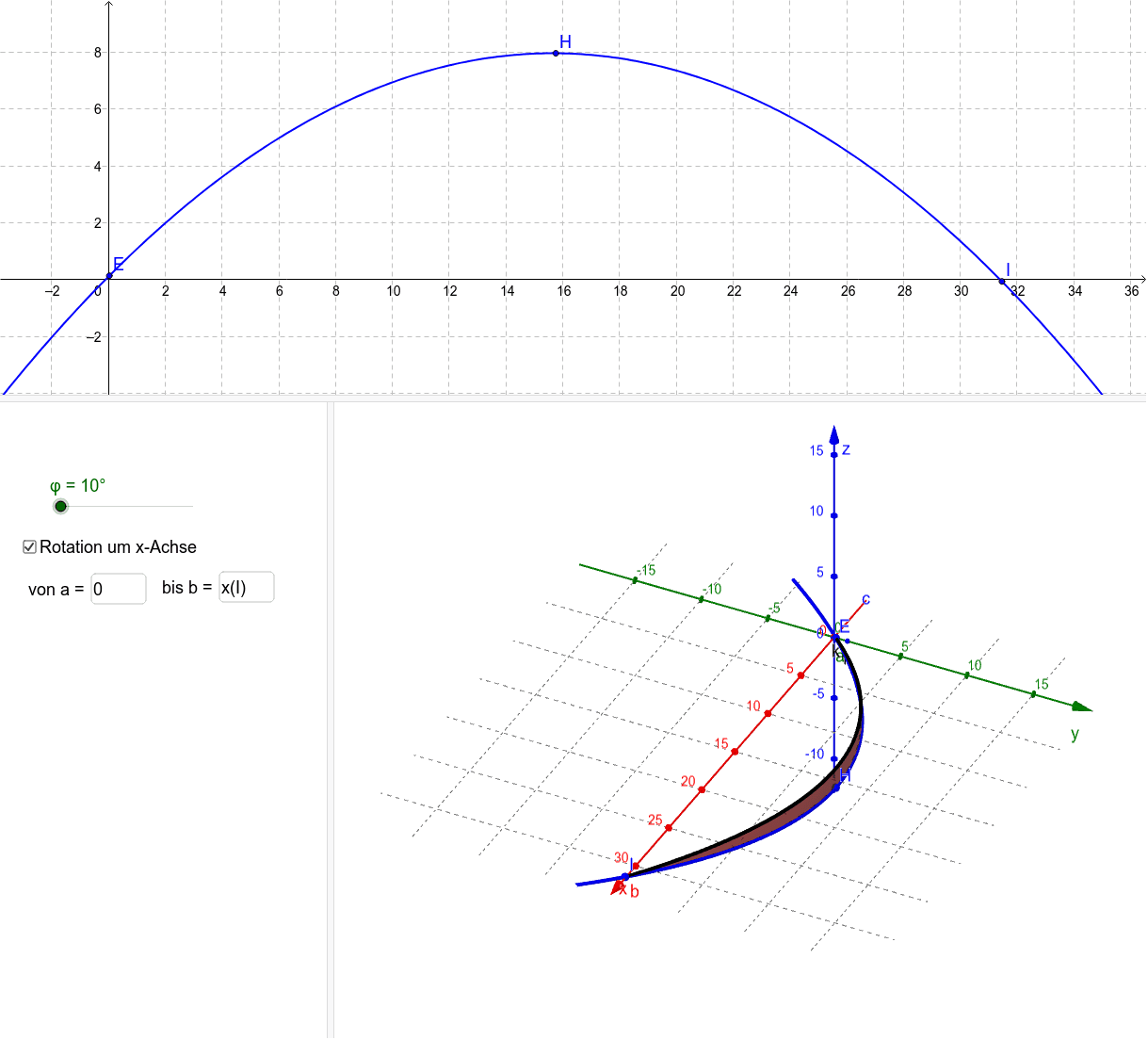
This example demonstrates the construction of a 3D football model using rotation and geometric transformations. It involves key mathematical concepts such as coordinate geometry, trigonometry, and polynomial functions. The construction utilizes GeoGebra commands like Polynomial, CurveCartesian, Segment, and Surface. Suitable for high school and advanced students to explore solid geometry and function graphing.
GeoGebra Commands & Parameters
Polynomial({E, H, I}) → fTextfield(f) → Textfeld1Textfield(a) → Textfeld2Textfield(b) → Textfeld3CurveCartesian(t, (f(t) * cos(φ)), (f(t) * sin(φ)), t, a, b) → k_1CurveCartesian(t, f(t), 0, t, -5, 5) → kSegment(A, G) → s_1Surface(u, (f(u) * cos(w)), (f(u) * sin(w)), u, a, b, w, 0, φ) → f_x
AI Drawing Prompt Reference
Create a 3D football model. Start by defining three points on a coordinate plane and construct a polynomial curve passing through them, which serves as the profile generator. Then, rotate this curve around the vertical axis over a specified angular range to form a surface of revolution, creating the football's main body. Additionally, draw the planar projection of the curve and a straight segment from the start to the end point as reference. The final figure consists of the revolved surface, the profile curve, and the auxiliary segment, showing a symmetric solid shape.
The prompt above was compiled from the original drawing commands and is for reference only.