
Finding Intersection of Two Lines with GeoGebra
Loading the math board and drawing, please wait…
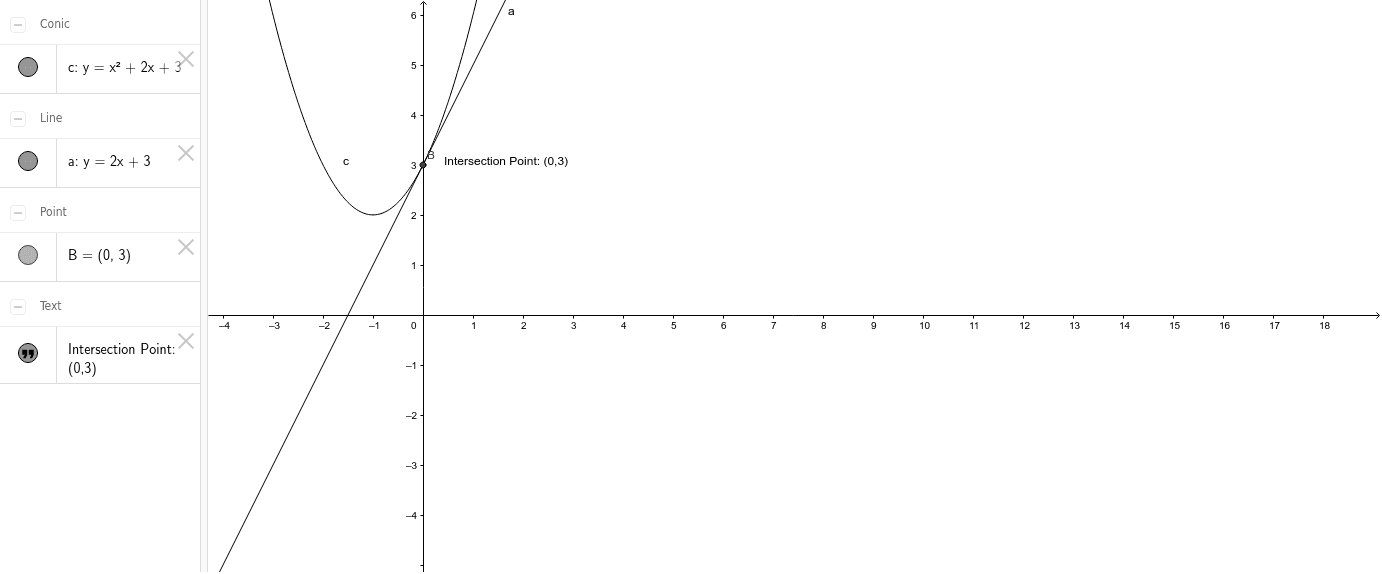
This example demonstrates how to use GeoGebra to find the intersection point of two lines. It involves core mathematical concepts such as coordinate geometry and linear equations. Key construction steps include using the Intersect command to calculate the intersection of objects a and c, and labeling with object B and text1. This is suitable for high school mathematics education, helping students understand the calculation method and geometric significance of line intersections.
GeoGebra Commands & Parameters
Intersect(c, a) → B,
AI Drawing Prompt Reference
In a coordinate plane, draw two straight lines that intersect at a single point. One line should be slanted, and the other should cross it at a visible angle. Mark the intersection point with a clear dot and label it as the intersection of the two lines. Include coordinate axes and grid lines for reference, and ensure the lines are distinct with different slopes. The diagram should emphasize the geometric relationship of the crossing lines and the exact meeting point.
The prompt above was compiled from the original drawing commands and is for reference only.