
Find the Dilation
Loading the math board and drawing, please wait…
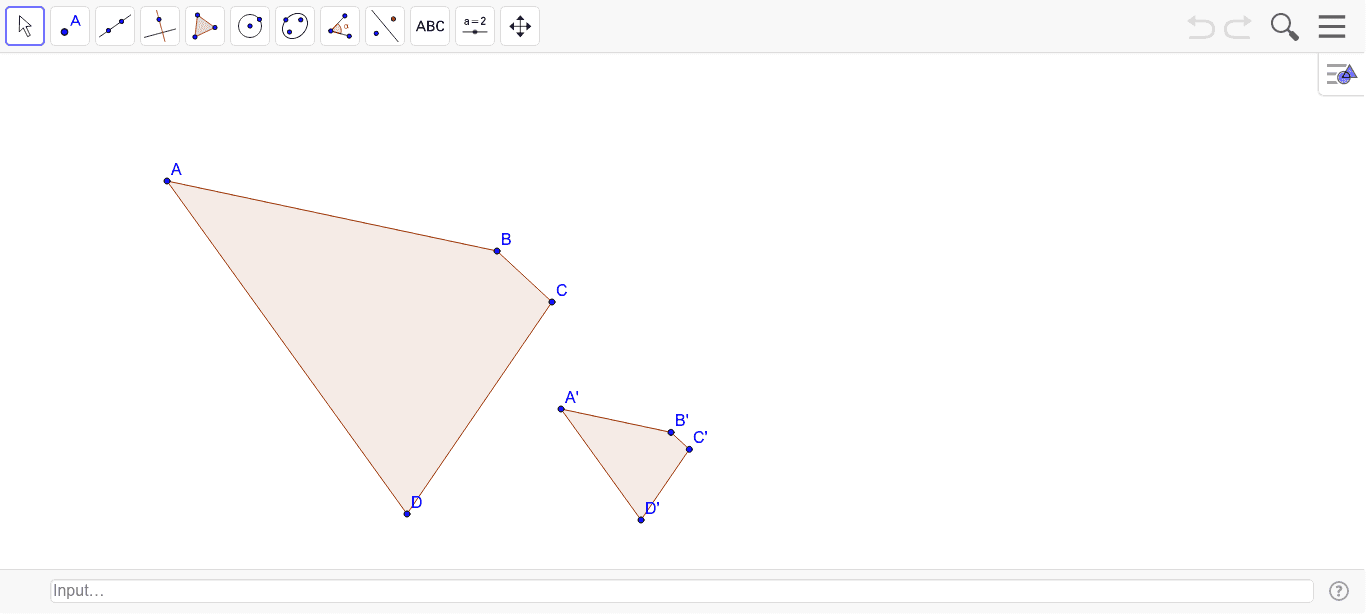
This example demonstrates how to perform a dilation using GeoGebra, specifically showing how to maintain the similarity of a figure through scaling. Key mathematical concepts include similarity transformation and scaling factor. The commands used include Polygon and Dilate. Suitable for high school geometry.
GeoGebra Commands & Parameters
Polygon(A, B, C, D) → poly1, a, b, c, dDilate(A, 1 / 3, E) → A'Dilate(B, 1 / 3, E) → B'Dilate(C, 1 / 3, E) → C'Dilate(D, 1 / 3, E) → D'Polygon(A', B', C', D') → poly1', a', b', c', d'
AI Drawing Prompt Reference
Draw a quadrilateral ABCD, then dilate it with a scale factor of 1/3 centered at point E to create a new quadrilateral A'B'C'D'. First, draw quadrilateral ABCD, then create point E as the center of dilation, and dilate points A, B, C, and D by 1/3 to get A', B', C', and D' respectively, and finally connect these points to form quadrilateral A'B'C'D'.
The prompt above was compiled from the original drawing commands and is for reference only.