
Find a line equation from gradient and a point using GeoGebra
Loading the math board and drawing, please wait…
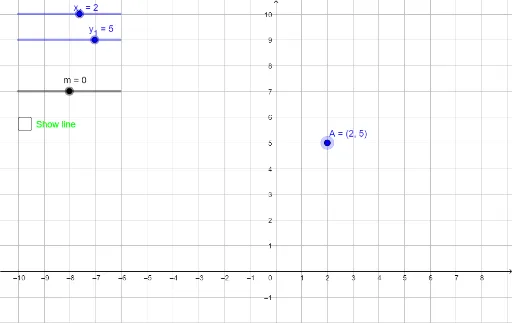
This example demonstrates how to construct and obtain the equation of a line when you are given the gradient (slope) and a specific point. It centers on key ideas such as the slope–intercept form, the fact that a line is uniquely determined by its slope and one point, and the connection between algebraic expressions and geometric objects. Using the construction summary, the setup involves the coordinate objects x_1 and y_1 for the given point, A as an intermediate geometric/constructed element, m to represent the gradient, and f and a to build the corresponding line function or coefficients. The resulting line is then visualized together with the defining conditions. Suitable for high-school coordinate geometry lessons, guided practice on linear equations, and GeoGebra-based exploratory teaching.
GeoGebra Commands & Parameters
Numeric x_1(2)Numeric y_1(5)(x_1, y_1)Numeric m(0)y - y_1 = (m * (x - x_1))Boolean a(false)
AI Drawing Prompt Reference
On a coordinate plane, draw a line that passes through the point (2,5) and has slope 0. First place the given point using its coordinates (2,5) as a defining condition for the line. Then use the point-slope relationship to form the equation y − 5 = 0 · (x − 2), and use it to construct the corresponding straight line on the plane. Display the line together with the marked point to reflect the connection between the slope-point description and the drawn graph.
The prompt above was compiled from the original drawing commands and is for reference only.