
Faces, Vertices, and Edges of a Cube
Loading the math board and drawing, please wait…
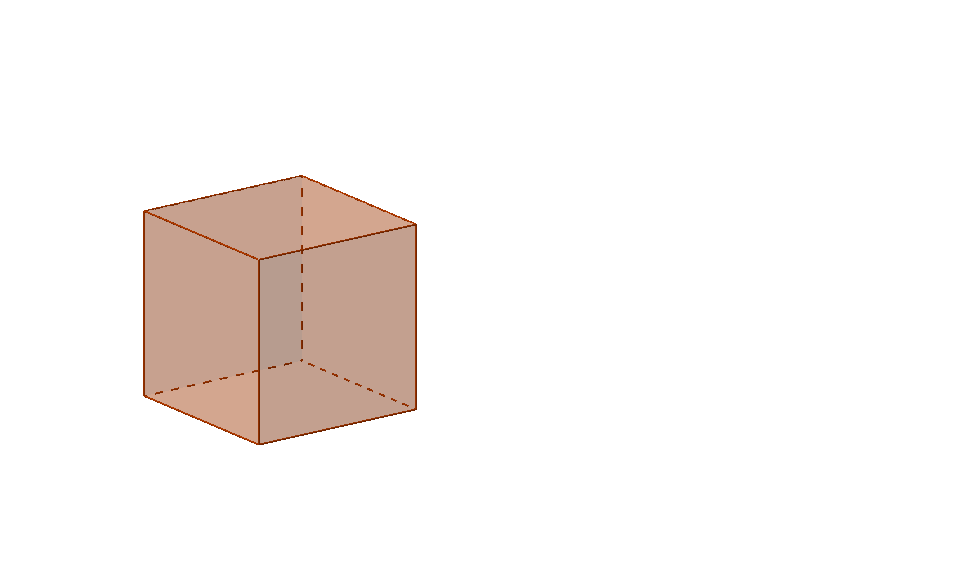
This example demonstrates the faces, vertices, and edges of a cube and their relationships. Core math concepts include solid geometry, polygons, points, lines, and planes. It uses GeoGebra commands like Intersect and Cube, and objects such as vertices (A, B, C, D, E, F, G, H), faces (faceABCD, etc.), and edges (edgeAD, etc.). Suitable for high school geometry teaching, developing geometric intuition, and enhancing spatial reasoning skills.
GeoGebra Commands & Parameters
Intersect(yAxis, xAxis) → ACube(A, B, Vector[(-UnitVector[xOyPlane])]) → a, C, faceBCGF, faceCDHG, faceEFGH, edgeAD, edgeAB_1, edgeBC, edgeCD, edgeAE, edgeDH, edgeEH, D, edgeEF, edgeBF, edgeFG, edgeCG, edgeGH, E, F, G, H, faceABCD, faceADHE, faceABFECube(A, B, Vector[(-UnitVector[xOyPlane])]) → f, I, faceBIML, faceIJNM, faceKLMN, edgeAJ, edgeAB, edgeBI, edgeIJ, edgeAK, edgeJN, edgeKN, J, edgeKL, edgeBL, edgeLM, edgeIM, edgeMN, K, L, M, N, faceABIJ, faceAJNK, faceABLK
AI Drawing Prompt Reference
Draw a cube with 8 vertices, 12 edges, and 6 faces. Start by drawing the intersection of the y-axis and x-axis as vertex A, then use A and B as starting points to draw the remaining vertices and edges along the direction perpendicular to the xOy plane, and finally fill in each face.
The prompt above was compiled from the original drawing commands and is for reference only.