
Exploring Volume by Janet Bowers (4)
Loading the math board and drawing, please wait…
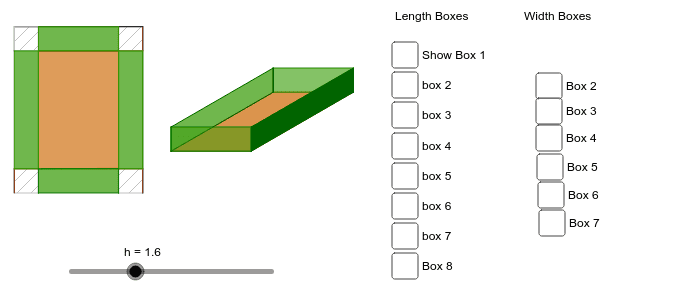
This example demonstrates the generation of 3D volume by rotating a 2D shape. Key math concepts include volume calculation, transformation, vector operations, and matrix applications. GeoGebra commands and objects used in the construction are Circle, Vector, Translate, Intersect, Rotate, Polygon, Segment, OrthogonalLine, newbox, Point, and blackbox. Suitable for high school students and above to learn and understand the principles of solid geometry and volume integration in calculus, as well as for math competition training.
GeoGebra Commands & Parameters
Circle(Origin, len - (2 * h)) → cVector((width - (2 * h), 0)) → uTranslate(A, u) → A'Intersect(c, xAxis) → B, CRotate(C, α) → C'Vector(C') → vTranslate(A, v) → A'_1Translate(A', v) → A''Polygon(A, A'_1, A'', A') → poly1, a, a'_1, a'', a'Vector((0, h)) → wTranslate(A, w) → A'_2Translate(A', w) → A''_1Translate(A'_1, w) → DTranslate(A'', w) → A'''Segment(A'_2, A) → bSegment(A''_1, A') → dSegment(D, A'_1) → eSegment(A''', A'') → fPolygon(A'_2, A''_1, A', A) → poly2, a'_2, a''_1, a'_3, a_1Polygon(D, A''', A'', A'_1) → poly3, d_1, a''', a''_2, a'_4Polygon(A''_1, A''', A'', A') → poly4, a''_3, a'''_1, a''_4, a'_5Polygon(D, A'_2, A, A'_1) → poly5, d_2, a'_6, a_2, a'_7Rotate(E, α) → E'Vector(E') → gSegment(W_1, A_2) → c_7Segment(A_2, Z_1) → d_7Segment(Z_1, V_1) → e_7Segment(V_1, W_1) → f_7Segment(Paper, U_1) → g_7Segment(U_1, S_1) → h_7Segment(S_1, T_1) → i_7Segment(T_1, Paper) → j_7OrthogonalLine(Z_1, g_7) → m_7OrthogonalLine(Z_1, h_7) → n_7OrthogonalLine(A_2, h_7) → a_8OrthogonalLine(W_1, i_7) → b_8Intersect(j_7, a_8) → B_2Intersect(i_7, b_8) → C_2Intersect(m_7, i_7) → D_2Intersect(h_7, a_8) → E_2Intersect(n_7, h_7) → F_2Intersect(m_7, g_7) → G_2Intersect(g_7, b_8) → H_2Intersect(n_7, j_7) → I_2Polygon(B_2, W_1, 4) → poly26, c_8, d_8, e_8, f_8, J_2, K_2Polygon(Paper, H_2, 4) → poly27, g_8, h_8, i_8, j_8, L_2, M_2Polygon(G_2, U_1, 4) → poly28, k_8, l_8, m_8, n_8, N_2, O_2Polygon(A_2, E_2, 4) → poly29, p_8, q_8, r_8, s_8, P_2, Q_2Polygon(V_1, Z_1, A_2, W_1) → poly31, v_1, z_1, a_9, w_1newbox(α, E, G) → n, p, c_1, e_1, f_1, g_1, h_1, i_1, j_1, k_1, J, q, H, poly6, poly7, r, s, t, b_1Intersect(r, i_1) → KIntersect(r, i_1) → LIntersect(r, e_1) → MPolygon(J, M, H, G) → poly8, j_2, m_1, h_2, g_2Polygon(B_2, W_1, V_1, I_2) → poly9, b_2, w_2, v_2, i_2Polygon(W_1, A_2, D_2, C_2) → poly10, w_3, a_3, d_3, c_2Point(w_3) → NPolygon(N, Z_1, F_2, E_2) → poly11, n_1, z_2, f_2, e_2Point(n_1) → OPoint(w_2) → PPolygon(H_2, G_2, O, P) → poly12, h_3, g_3, o, p_1blackbox(α, E, Q) → poly13, poly14, r_1, s_1, t_1, k_2, l_2, m_2, n_2, p_2, q_2, r_2, poly15, s_2, t_2, i, j, k, l, m, l_1, q_1blackbox(α, E, R) → poly16, poly17, l_3, m_3, n_3, p_3, q_3, r_3, s_3, t_3, a_4, b_4, poly18, c_4, d_4, b_3, c_3, e_3, f_3, i_3, j_3, k_3blackbox(α, E, S) → poly19, poly20, l_4, m_4, n_4, p_4, q_4, r_4, s_4, t_4, a_5, b_5, poly21, c_5, d_5, e_4, f_4, g_4, h_4, i_4, j_4, k_4blackbox(α, E, T) → poly22, poly23, l_5, m_5, n_5, p_5, q_5, r_5, s_5, t_5, a_6, b_6, poly24, c_6, d_6, e_5, f_5, g_5, h_5, i_5, j_5, k_5blackbox(α, E, V) → poly33, poly34, c_9, d_9, e_9, f_9, g_9, h_9, i_9, j_9, k_9, l_9, poly35, m_9, n_9, p_7, q_7, r_7, s_7, t_7, t_8, b_9blackbox(α, E, W) → poly36, poly37, c_{10}, d_{10}, e_{10}, f_{10}, g_{10}, h_{10}, i_{10}, j_{10}, k_{10}, l_{10}, poly38, m_{10}, n_{10}, p_9, q_9, r_9, s_9, t_9, a_{10}, b_{10}blackbox(α, E, A_1) → poly42, poly43, c_{12}, d_{12}, e_{12}, f_{12}, g_{12}, h_{12}, i_{12}, j_{12}, k_{12}, l_{12}, poly44, m_{12}, n_{12}, p_{11}, q_{11}, r_{11}, s_{11}, t_{11}, a_{12}, b_{12}blackbox(α, E, B_1) → poly45, poly46, c_{13}, d_{13}, e_{13}, f_{13}, g_{13}, h_{13}, i_{13}, j_{13}, k_{13}, l_{13}, poly47, m_{13}, n_{13}, p_{12}, q_{12}, r_{12}, s_{12}, t_{12}, a_{13}, b_{13}blackbox(α, E, C_1) → poly48, poly49, c_{14}, d_{14}, e_{14}, f_{14}, g_{14}, h_{14}, i_{14}, j_{14}, k_{14}, l_{14}, poly50, m_{14}, n_{14}, p_{13}, q_{13}, r_{13}, s_{13}, t_{13}, a_{14}, b_{14}blackbox(α, E, D_1) → poly51, poly52, c_{15}, d_{15}, e_{15}, f_{15}, g_{15}, h_{15}, i_{15}, j_{15}, k_{15}, l_{15}, poly53, m_{15}, n_{15}, p_{14}, q_{14}, r_{14}, s_{14}, t_{14}, a_{15}, b_{15}blackbox(α, E, E_1) → poly54, poly55, c_{16}, d_{16}, e_{16}, f_{16}, g_{16}, h_{16}, i_{16}, j_{16}, k_{16}, l_{16}, poly56, m_{16}, n_{16}, p_{15}, q_{15}, r_{15}, s_{15}, t_{15}, a_{16}, b_{16}blackbox(α, E, F_1) → poly57, poly58, c_{17}, d_{17}, e_{17}, f_{17}, g_{17}, h_{17}, i_{17}, j_{17}, k_{17}, l_{17}, poly59, m_{17}, n_{17}, p_{16}, q_{16}, r_{16}, s_{16}, t_{16}, a_{17}, b_{17}blackbox(α, E, G_1) → poly60, poly61, c_{18}, d_{18}, e_{18}, f_{18}, g_{18}, h_{18}, i_{18}, j_{18}, k_{18}, l_{18}, poly62, m_{18}, n_{18}, p_{17}, q_{17}, r_{17}, s_{17}, t_{17}, a_{18}, b_{18}
AI Drawing Prompt Reference
Create a 3D volume generation example showing how rotating a 2D shape forms a 3D volume. Start by drawing a circle, then use vectors and translations to create several points, determining key positions via rotations and intersections. Connect these points to form multiple polygons, creating the surface of a rotating solid. Finally, add some helper line segments and squares to make the shape clearer, fully demonstrating the volume generation process.
The prompt above was compiled from the original drawing commands and is for reference only.