
Exploring Vector Addition: Parallelogram and Triangle Laws
Loading the math board and drawing, please wait…
In collections
Complex Numbers as Vectors
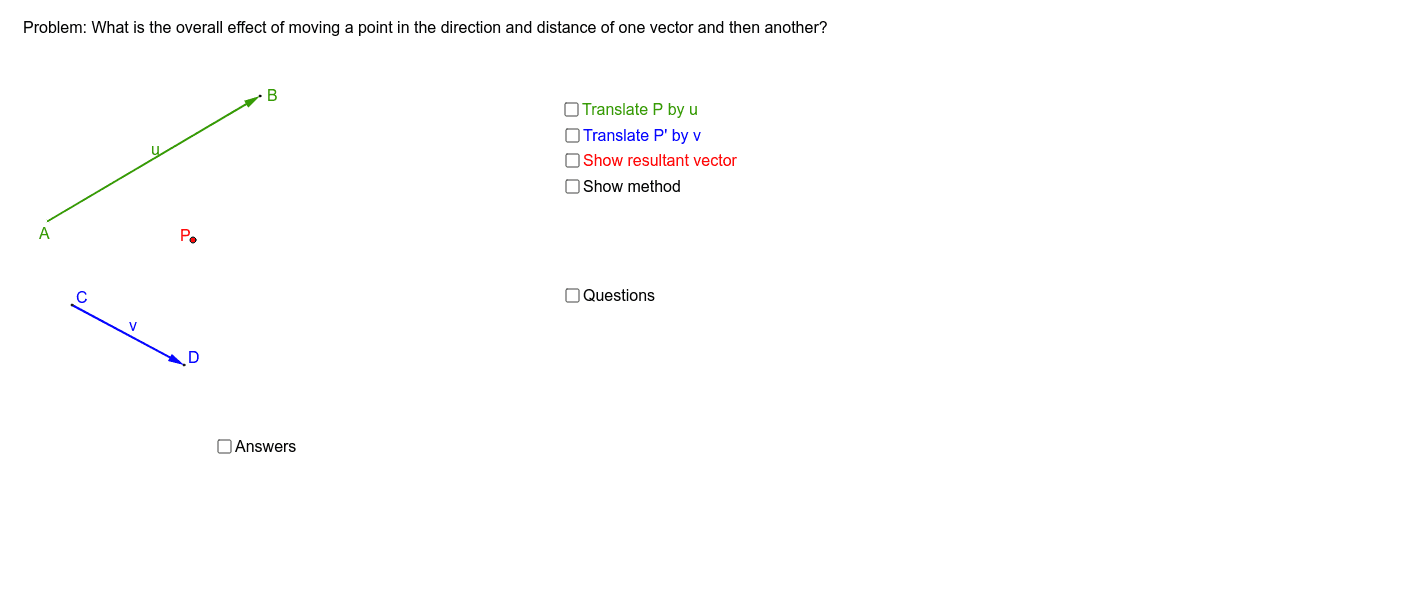
① This applet dynamically demonstrates the geometric meaning of adding two vectors, illustrating both the parallelogram law and the triangle law of vector addition. ② Core mathematical concepts include vectors, vector addition, translation, midpoint, polygons, and geometric construction of vector sums. ③ Construction highlights: using GeoGebra commands such as Vector to create vectors u and v, Translate to move vectors, Midpoint, Line, and Intersect to build auxiliary lines and points, and Polygon to form the parallelogram or triangle, with text labels for clarity. ④ Suitable for high school or early college students learning vector operations, and useful for teachers to visually explain vector addition in class.
GeoGebra Commands & Parameters
Vector(A, B) → uVector(C, D) → vTranslate(P, u) → P'Translate(P', v) → P''Vector(P, P') → w_1Vector(P', P'') → zVector(P, P'') → wMidpoint(P, P'') → ELine(P, z) → gLine(P'', w_1) → hIntersect(g, h) → FPolygon(P, P', P'', F) → poly1, p, p', p'', f_1
AI Drawing Prompt Reference
Draw the sum of two vectors u and v using both the parallelogram and triangle laws. First, create vectors u and v, then translate them to form a parallelogram. Construct auxiliary lines and points, and finally use these points to form a parallelogram.
The prompt above was compiled from the original drawing commands and is for reference only.