
Locus of Midpoint of PA on a Parabola
Loading the math board and drawing, please wait…
In collections
Properties of the Parabola
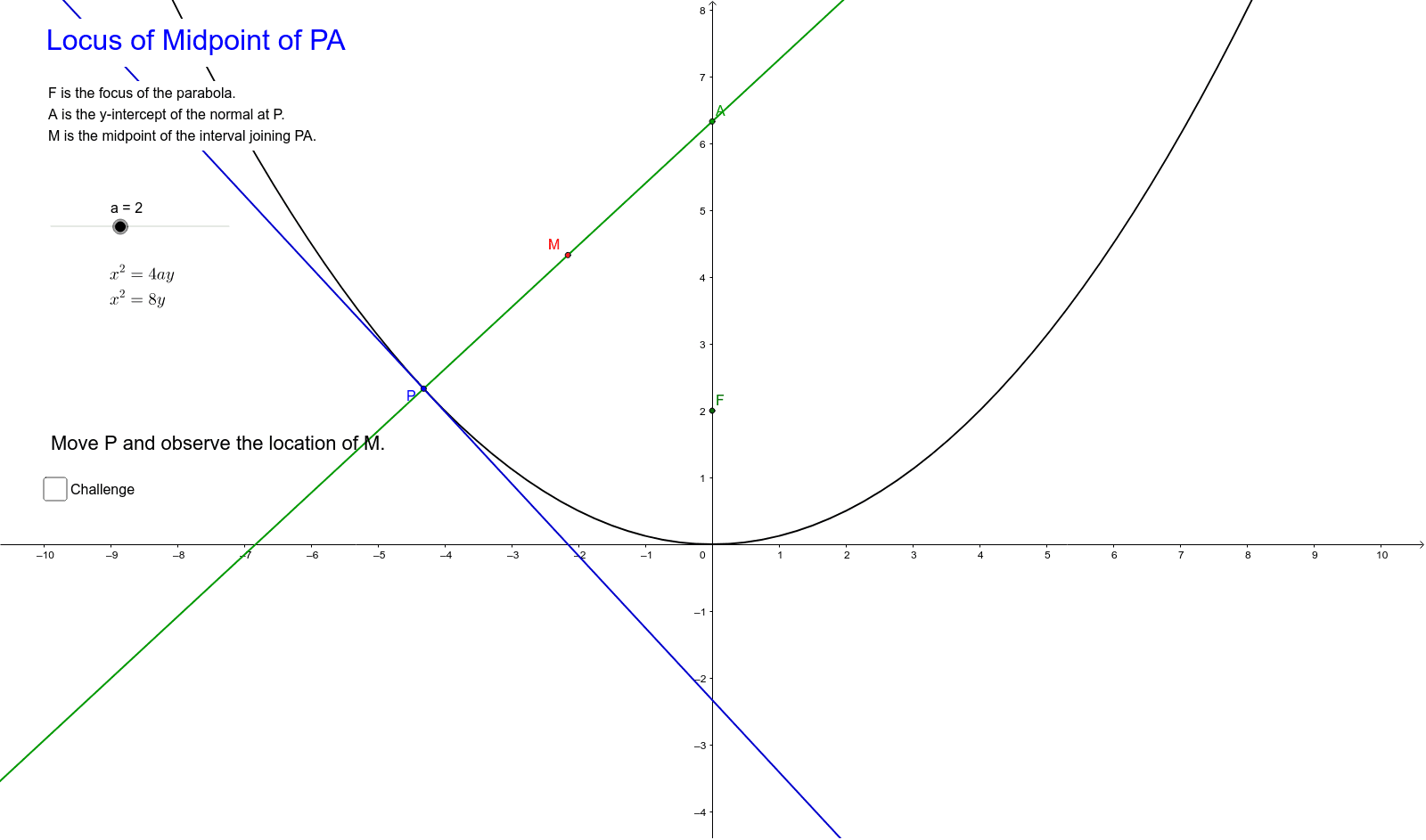
This applet illustrates the locus of the midpoint of the segment joining a point P on a parabola to A, the y-intercept of the tangent at P. As P moves along the parabola, the midpoint M traces a curve, revealing a beautiful geometric relationship. Core mathematical concepts include locus, tangent lines, midpoint coordinates, and parametric representation in coordinate geometry. The construction uses GeoGebra commands: Point to define the moving point P on the parabola, Tangent to create the tangent line at P, Line and OrthogonalLine for auxiliary constructions, Intersect to find the y-intercept A, and Midpoint to compute M. The locus is visualized by tracing M or using the Locus tool. Suitable for high school or early college students studying analytic geometry, conic sections, and dynamic geometry, this applet provides an interactive way to explore how the midpoint moves and to conjecture about the resulting curve.
GeoGebra Commands & Parameters
Point(c) → PTangent(P, c) → b,Line(P, F) → dOrthogonalLine(P, b) → eIntersect(e, yAxis) → AMidpoint(P, A) → M
AI Drawing Prompt Reference
Draw a parabola and place a movable point on it. Construct the tangent at that point, then draw the line through the point perpendicular to the tangent. Let this perpendicular meet the y‑axis at a second point. Mark the midpoint of the segment joining the two points. As the first point slides along the parabola, the midpoint traces a curve.
The prompt above was compiled from the original drawing commands and is for reference only.