
Hyperbola Construction: Foci, Segments, and Geometric Relations
Loading the math board and drawing, please wait…
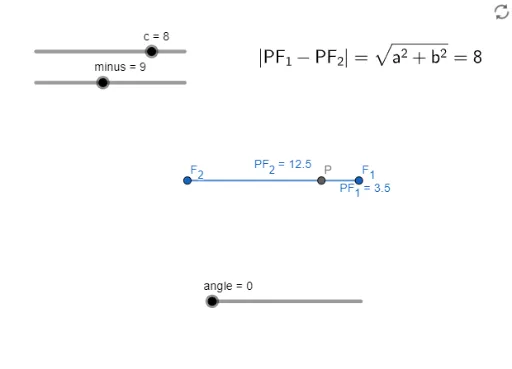
①This example demonstrates how to construct a hyperbola in GeoGebra, showing the geometric relationships among its foci, vertices, and key segments such as PF₁ and PF₂. ②The core mathematical concept is the definition of a hyperbola as the locus of points where the absolute difference of distances to two fixed foci (F₁, F₂) is constant, involving segment lengths, angles, and random variables. ③Construction highlights: from the summary, the Segment command is used, involving objects like point P, foci F₁ and F₂, segments PF₁ and PF₂, plus auxiliary objects minus, c, b, a, angle, and text1, likely using sliders or dynamic point P to trace the hyperbola. ④Suitable for high school analytic geometry or introductory college geometry courses, providing an interactive way to understand the hyperbola's definition, focal properties, and parameter effects, and useful as a teaching demonstration tool.
GeoGebra Commands & Parameters
Segment(P, F_{1}) → PF_{1}Segment(P, F_{2}) → PF_{2}
AI Drawing Prompt Reference
Draw a hyperbola showing its foci, vertices, and key segments PF₁ and PF₂, where the absolute difference of distances from a moving point P to the fixed foci remains constant, illustrating the hyperbola's definition, with auxiliary objects like c, b, a, angles, and text for parameter effects, suitable for teaching.
The prompt above was compiled from the original drawing commands and is for reference only.