
Exploring Trigonometric Ratios by chermann2.10
Loading the math board and drawing, please wait…
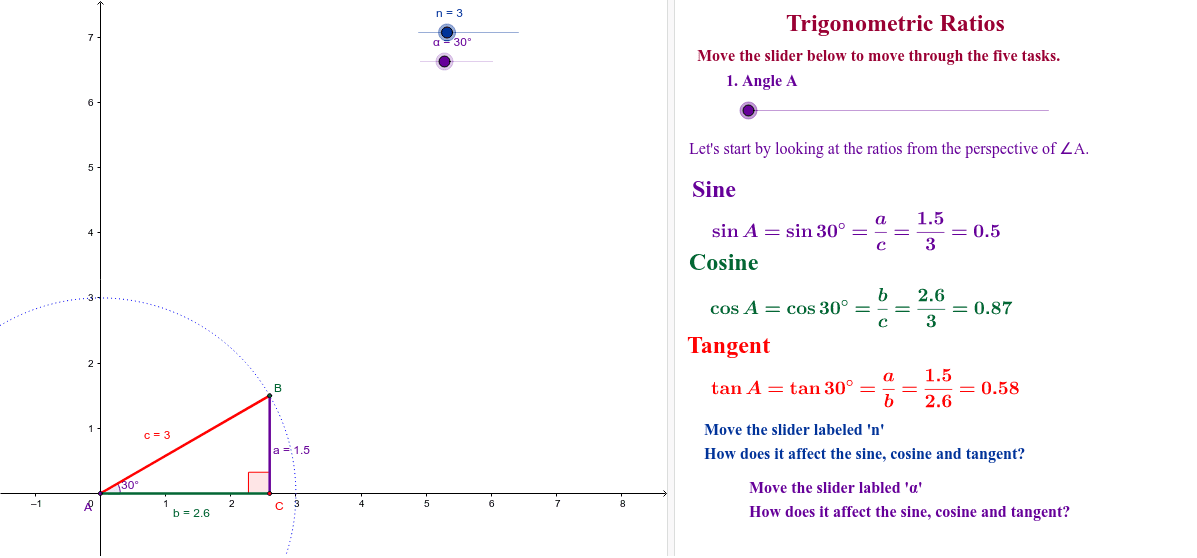
This example demonstrates how sine, cosine, and tangent are defined through right-angled triangles within a unit circle. Key math concepts include trigonometric functions, unit circle, and relationships between side lengths of right triangles. Construction highlights from the summary involve commands like Intersect, Circle, Point, CircleArc, Segment, Angle, and Polygon in GeoGebra. Suitable for high school students to understand the geometric definitions and practical applications of trigonometric functions.
GeoGebra Commands & Parameters
Intersect(xAxis, yAxis) → ACircle(A, n) → c_1Intersect(c_1, xAxis, 2) → B_1Point(c_1) → C_1CircleArc(A, B_1, C_1) → dSegment(A, B) → cSegment(A, C) → bSegment(B, C) → aAngle(C, A, B) → βAngle(A, B, C) → γAngle(B, C, A) → δPolygon(D, E, F) → poly1, f_1, d_1, e_1Angle(F, D, E) → εAngle(D, E, F) → ζAngle(E, F, D) → η
AI Drawing Prompt Reference
Draw a right triangle inside a circle with the right angle at the center, marking the intersection points between the triangle and the circle. Draw line segments from the center to each vertex of the triangle, labeling the three angles. Then, draw a polygon that includes the center and the triangle's vertices, labeling its internal angles.
The prompt above was compiled from the original drawing commands and is for reference only.