
Exploring the Rectangle: Area, Perimeter, and Unit Squares
Loading the math board and drawing, please wait…
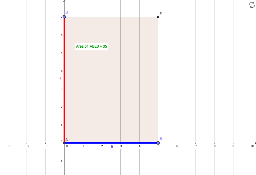
① This interactive GeoGebra example demonstrates the concepts of area and perimeter of a rectangle using unit square grids, making the meaning of square units visually clear. ② Core math concepts include rectangle area (length × width), perimeter (2×(length+width)), unit squares (squares with side length 1), and the definition of square units, aligned with CCSS.MATH.CONTENT.3.MD.C.5.A. ③ Construction details: The example uses GeoGebra commands such as Intersect, Point, Segment, OrthogonalLine, Line, Polygon, Distance, Perimeter, and PointIn to build the rectangle and its measurements, with text objects displaying computed area and perimeter values, likely including dynamic points or sliders for interactive exploration. ④ Suitable for elementary (grade 3) to middle school students, this resource serves as an introductory geometry tool for teaching area and perimeter, and can be used by teachers for classroom demonstrations or by students for self-paced learning.
GeoGebra Commands & Parameters
Intersect(xAxis, yAxis) → APoint(xAxis) → BSegment(A, B) → aOrthogonalLine(B, a) → bPoint(yAxis) → DLine(D, a) → cSegment(D, A) → dSegment(A, B) → eIntersect(b, c) → EPolygon(A, B, E, D) → poly1, a_1, b_1, e_1, d_1Distance(e, b) → fPerimeter(poly1) → perimeterpoly1PointIn(poly1) → Pointpoly1_1Perimeter(poly1) → gPointIn(poly1) → Pointpoly1_2PointIn(poly1) → Pointpoly1_3PointIn(poly1) → Pointpoly1