
Exploring Rotations on the Coordinate Plane by Rick Stuart
Loading the math board and drawing, please wait…
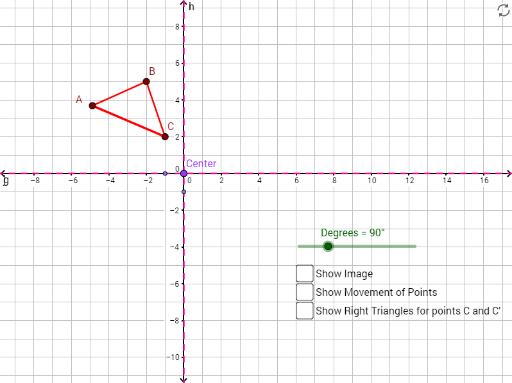
This example demonstrates rotations on the coordinate plane. Key mathematical concepts include rotation, polygons, and geometric construction. Using GeoGebra commands such as Polygon, Rotate, CircleArc, and Line, the construction of rotated figures is illustrated. Suitable for middle school and above students learning geometric transformations.
GeoGebra Commands & Parameters
Polygon(A, B, C) → poly1, c, a, bRotate(A, Degrees, Center) → A'Rotate(B, Degrees, Center) → B'Rotate(C, Degrees, Center) → C'Polygon(A', B', C') → poly1', c', a', b'CircleArc(Center, C, C') → dCircleArc(Center, B, B') → eCircleArc(Center, A, A') → fLine(D, E) → gLine(F, G) → hLine(F, G) → iLine(E, D) → jLine(Center, j) → kLine(Center, i) → lPolygon(Center, H, C) → poly2, c_1, center, h_1Rotate(Center, Degrees, Center) → Center'Rotate(H, Degrees, Center) → H'Rotate(C, Degrees, Center) → C'_1Polygon(Center', H', C'_1) → poly2', c'_1, center', h'
AI Drawing Prompt Reference
Draw a triangle ABC, then rotate it 90 degrees around a center point to create a new triangle A'B'C'. Next, draw circular arcs with endpoints at A, B, C around the center point, and connect the endpoints of these arcs with two lines. Finally, draw two parallel lines through the center point, ensuring they are parallel to the previously drawn lines.
The prompt above was compiled from the original drawing commands and is for reference only.