
Exploring Rhombus Properties
Loading the math board and drawing, please wait…
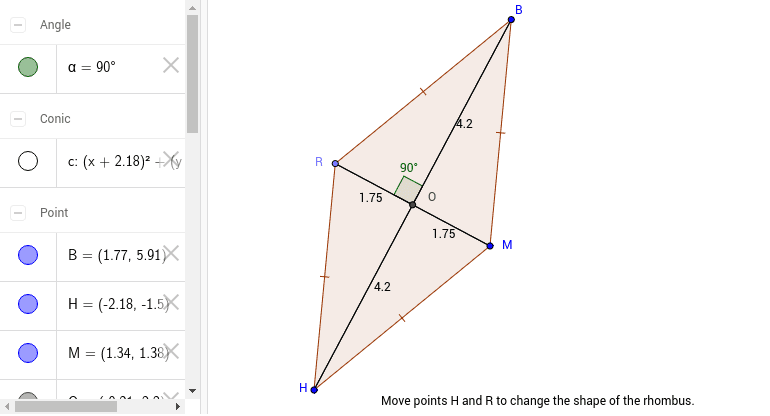
This example dynamically demonstrates the geometric construction and properties of a rhombus, including side lengths, angles, and diagonal relationships. Key math concepts involved are polygons, vectors, angles, geometric transformations, and coordinate geometry. Construction highlights include using GeoGebra commands like Circle, Point, Segment, Mirror, Polygon, Intersect, and Angle. Suitable for high school mathematics education to visually aid students in understanding symmetry, vector operations, and applications of coordinate geometry in rhombuses.
GeoGebra Commands & Parameters
Circle(H, M) → cPoint(c) → RSegment(R, M) → RMMirror(H, RM) → BPolygon(B, R, H, M) → poly1, a', c_1, a_1, bSegment(H, B) → HBIntersect(HB, RM) → OAngle(B, O, R) → αSegment(R, O) → aSegment(B, O) → dSegment(O, M) → eSegment(O, H) → f
AI Drawing Prompt Reference
Draw a rhombus to demonstrate its geometric properties, including side lengths, angles, and diagonal relationships. Start by constructing a circle and find a point on the circle, then draw a line from the center to this point. Use this to construct the rhombus, marking the diagonals and their intersection point. Measure and display the interior angles and lengths of the diagonals, highlighting symmetry and vector operations, suitable for high school mathematics education to illustrate the application of coordinate geometry in rhombuses.
The prompt above was compiled from the original drawing commands and is for reference only.