
Exploring Quadratic Functions: Graphs, Parameters, and Geometric Construction
Loading the math board and drawing, please wait…
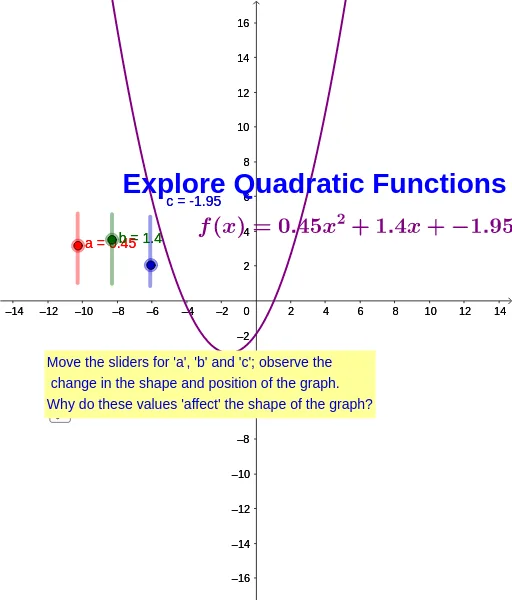
This GeoGebra example provides an interactive exploration of quadratic functions y = ax² + bx + c, showing how the parabola changes with parameters a, b, and c. It integrates polygons and bar charts to represent function values or areas, making the connection between algebraic expressions and geometric visualization clear. Core mathematical concepts include the vertex, axis of symmetry, concavity, and the role of each coefficient. The construction uses sliders for a, b, c, the function command f to plot the parabola, polygon and bar chart tools for auxiliary shapes, text objects (text1, text2, text3) to display dynamic values, and a point d to mark the vertex or intersection. This resource is ideal for secondary school students (grades 8-12) and teachers, supporting lessons on quadratic functions, transformations, and graphical analysis. It encourages hands-on learning and helps students predict how changing parameters affects the graph.
GeoGebra Commands & Parameters
Numeric a(0.45)Numeric b(1.4)Numeric c(-1.95)f(x) = (a * x^(2)) + (b * x) + cBoolean d(true)
AI Drawing Prompt Reference
Draw the graph of a quadratic function y = ax² + bx + c, where a, b, and c are adjustable using sliders to show how the parabola changes with parameters. Include a geometric shape and a bar chart representing function values, with sliders for a, b, c causing the function graph to update. Mark the vertex and axis of symmetry, display dynamic parameter values and vertex coordinates with text, and use a point to highlight the vertex.
The prompt above was compiled from the original drawing commands and is for reference only.