
Exploring Polygons: What Polygons Can You Find?
Loading the math board and drawing, please wait…
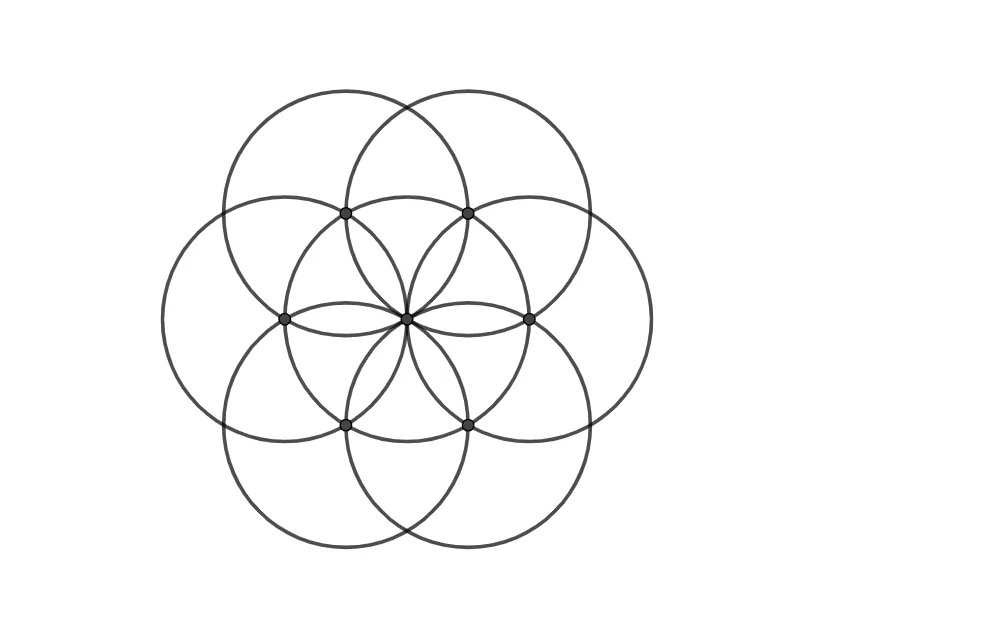
This GeoGebra example demonstrates plane geometric construction by using segments, circles, and intersection points to explore and identify various polygons that can be formed from a given configuration. Core mathematical concepts include polygons, plane figures, symmetry, and fundamental geometric construction relationships. The construction employs GeoGebra commands Segment, Circle, and Intersect, together with points A through I and objects such as circles c, d and lines or curves e, f, g, h, k, p. It is suitable for middle school and high school geometry instruction, supporting classroom inquiry, polygon recognition practice, and hands-on construction activities.
GeoGebra Commands & Parameters
Segment(A, B) → fCircle(A, f) → cCircle(B, f) → dIntersect(c, d) → C, D, ,Circle(C, f) → eIntersect(c, e, 1) → ECircle(E, f) → gIntersect(c, g, 1) → FCircle(F, f) → hIntersect(c, h, 1) → GCircle(G, f) → kCircle(D, f) → pIntersect(p, e) → H, I, ,
AI Drawing Prompt Reference
Draw a geometric figure made of circles and line segments. First, draw a line segment. Then, draw two circles using this segment as the diameter. Next, find the intersection points of these circles and use them to continue constructing the figure. Ensure the figure includes symmetric elements and various combinations of circles and line segments to create a complex geometric pattern.
The prompt above was compiled from the original drawing commands and is for reference only.