
Exploring Alternate Interior Angles (V2)
Loading the math board and drawing, please wait…
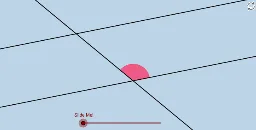
This applet demonstrates the properties of alternate interior angles by rotating an angle 180 degrees. Key mathematical concepts include angle rotation and the relationship between alternate interior angles. It uses GeoGebra commands such as Rotate, Angle, and Line. Suitable for middle school and above students learning geometric transformations.
GeoGebra Commands & Parameters
Point(a) → BRotate(B, α, A) → B'Angle(B, A, B') → βLine(A, B') → bCircle(A, 1) → eIntersect(b, d) → CCircle(C, 1) → fIntersect(e, a) → D, EIntersect(e, b) → F, GIntersect(f, b) → H, IIntersect(f, d) → J, KCircleSector(C, J, H) → kCircleSector(C, H, K) → pCircleSector(A, E, G) → qCircleSector(A, G, D) → rCircleSector(A, F, E) → tDilate(A, If[0 < i < 1, 1 - i], C) → A'Vector(A, A') → uTranslate(t, u) → t'CircleArc(A, E, G) → c_1CircleArc(A, G, D) → f_1CircleArc(C, J, H) → h_1Vector(A, C) → vMidpoint(C, A) → LRotate(q, (((-i) * 180))°, L) → q'Rotate(A, (((-i) * 180))°, L) → A'_1Segment(L, A'_1) → gSegment(C, L) → nSegment(L, A) → sPoint(b) → MPoint(b) → NRay(C, M) → a_1Ray(A, N) → b_1Rotate(E, (((-i) * 180))°, L) → E'Ray(A'_1, E') → d_1Circle(A'_1, Distance[L, A'_1]) → e_1Intersect(e_1, d_1, 1) → OSegment(A'_1, O) → g_1Rotate(r, ((i * 180))°, L) → r'_2Rotate(A, ((i * 180))°, L) → A'_2Rotate(D, ((i * 180))°, L) → D'Segment(L, A'_2) → hCircle(A'_2, L) → k_1Ray(A'_2, D') → i_1Intersect(k_1, i_1) → P,Segment(A'_2, P) → j_1
AI Drawing Prompt Reference
Draw a figure with points A and B, rotate angle 180 degrees around point A to get point A', then draw line segment AB', and find the midpoint L of line segment A'B'. Rotate angles q' and r' around point L, and finally draw line segment A'P through points A' and D' to demonstrate the properties of alternate interior angles.
The prompt above was compiled from the original drawing commands and is for reference only.