
Explore the Law of Sines
Loading the math board and drawing, please wait…
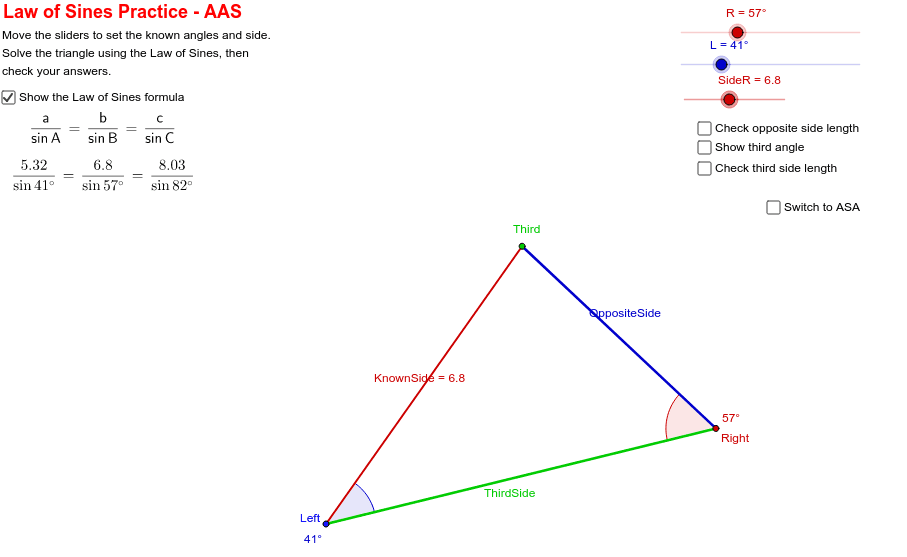
Manipulate the triangle to observe changes in the Law of Sines. This example demonstrates the relationship between sides and angles in a triangle, involving the core mathematical concept of the Law of Sines. It uses commands like Line, Rotate, Angle, Circle, Intersect, Segment in GeoGebra, suitable for high school mathematics education.
GeoGebra Commands & Parameters
Line(Left, B) → aRotate(B, L, Left) → B'Angle(B, Left, B') → αLine(Left, B') → bCircle(Left, SideR) → dIntersect(d, b, 2) → ThirdRotate(Left, T, Third) → D'Angle(Left, Third, D') → βLine(Third, D') → cIntersect(a, c) → RightAngle(Third, Right, Left) → γSegment(Left, Third) → KnownSideSegment(Third, Right) → OppositeSideSegment(Right, Left) → ThirdSideSegment(Third, Right) → fSegment(Left, Right) → g
AI Drawing Prompt Reference
Draw an interactive triangle with three sides and three angles labeled. Allow users to manipulate the triangle's vertices to change its shape while dynamically displaying the lengths of the sides and the measures of the interior angles. Clearly illustrate the Law of Sines by showing the proportional relationship between the sides and angles. Start by drawing the triangle's sides and labeling the vertices, then measure and display the size of each interior angle, and finally connect the vertices and angle points to form three smaller triangles for further analysis.
The prompt above was compiled from the original drawing commands and is for reference only.