
Explore Law of Cosines
Loading the math board and drawing, please wait…
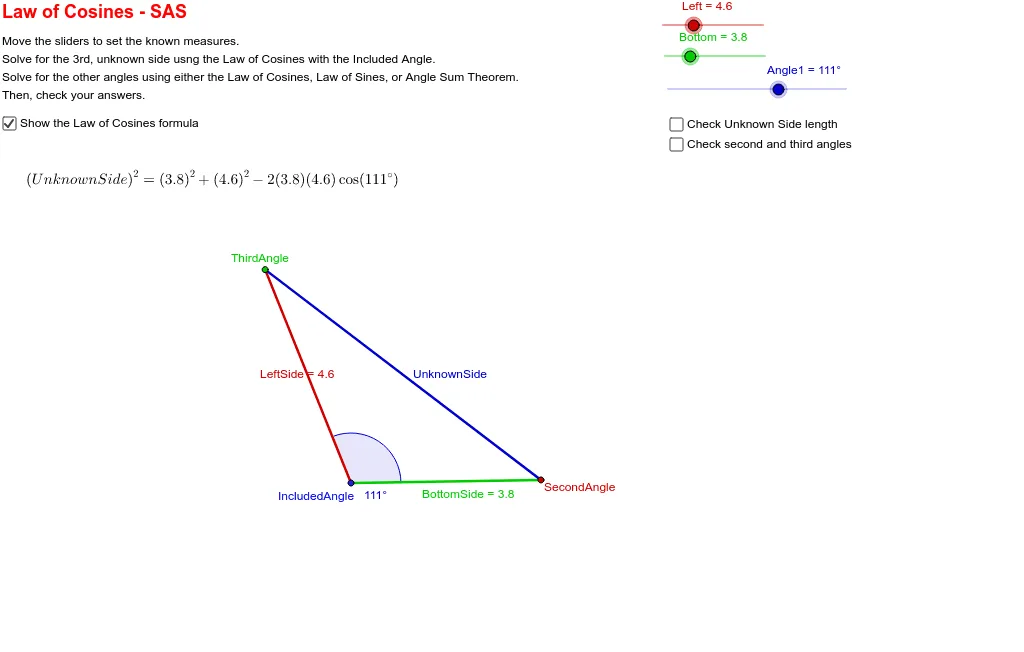
This example uses dynamic geometry to demonstrate the Law of Cosines. It involves the relationship between angles and sides in a triangle. Using GeoGebra commands such as Circle, Line, Intersect, Rotate, Angle, and Segment, you can observe how the Law of Cosines remains consistent as the triangle's sides and angles change. Suitable for high school mathematics education, particularly in coordinate geometry and trigonometry.
GeoGebra Commands & Parameters
Circle(IncludedAngle, Left) → cCircle(IncludedAngle, Bottom) → dLine(IncludedAngle, A) → aIntersect(d, a, 2) → SecondAngleRotate(SecondAngle, Angle1, IncludedAngle) → B'Angle(SecondAngle, IncludedAngle, B') → αLine(IncludedAngle, B') → bIntersect(c, b, 2) → ThirdAngleSegment(IncludedAngle, SecondAngle) → BottomSideSegment(IncludedAngle, ThirdAngle) → LeftSideSegment(ThirdAngle, SecondAngle) → UnknownSideAngle(ThirdAngle, SecondAngle, IncludedAngle) → βAngle(IncludedAngle, ThirdAngle, SecondAngle) → γSegment(ThirdAngle, SecondAngle) → e