
Exploration of Line Dilation
Loading the math board and drawing, please wait…
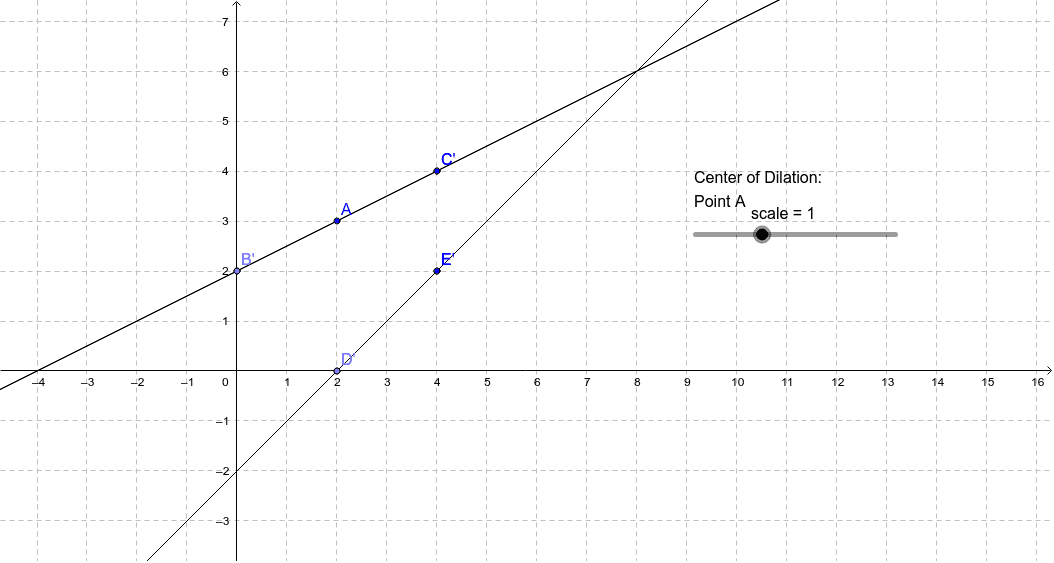
This applet demonstrates the dilation of a line. Key concepts include similarity transformation, scale, and locus. Using commands like Point, Line, and Dilate, you can observe how a line changes at different scales. Suitable for middle school and above students to explore geometric transformations.
GeoGebra Commands & Parameters
Point(yAxis) → BPoint(xAxis) → DLine(B, C) → aLine(D, E) → bDilate(a, scale, A) → a'Dilate(b, scale, A) → b'Dilate(B, scale, A) → B'Dilate(C, scale, A) → C'Dilate(E, scale, A) → E'Dilate(D, scale, A) → D'
AI Drawing Prompt Reference
Draw a geometric illustration showing the dilation of line segments. Include two points on the x-axis and y-axis, and two line segments connecting these points. Use a slider to control the scale, and dilate the line segments and their endpoints about the origin of the axes. The final image should display the original and dilated line segments and endpoints, highlighting the concept of similarity transformation and scaling.
The prompt above was compiled from the original drawing commands and is for reference only.