
Expanding and Factorising
Loading the math board and drawing, please wait…
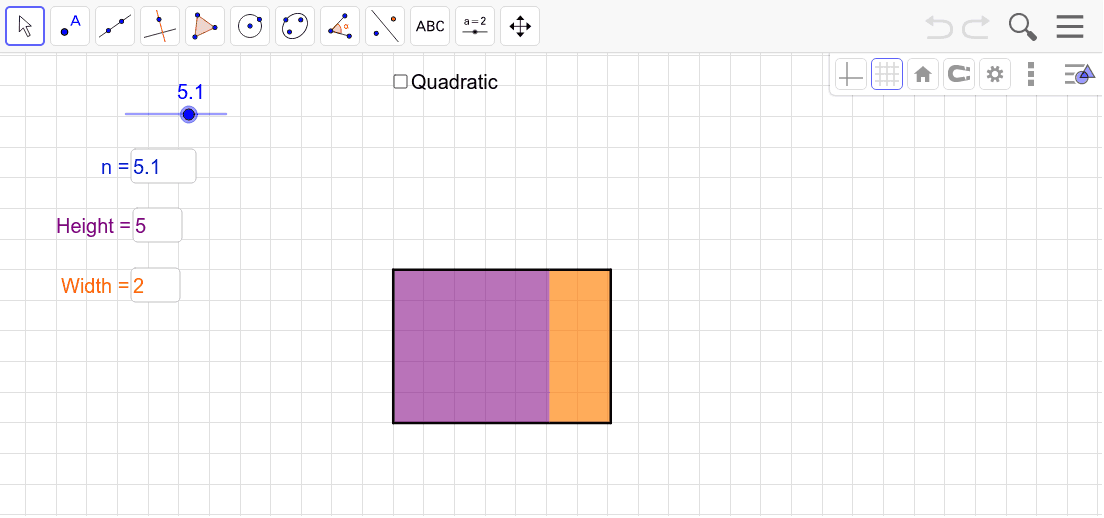
This example visually demonstrates the concepts of expanding and factorising polynomials. It shows the process of transforming algebraic expressions, helping students understand the manipulation of expressions. Utilizes commands like Polygon and Textfield in GeoGebra, suitable for middle and high school math education.
GeoGebra Commands & Parameters
Polygon((1, 1), (1, 1 + v * n_1), (1 + h * n_1, 1 + v * n_1), (1 + h * n_1, 1)) → poly1, a, b, c, dPolygon((1 + h * n_1, 1), (1 + h * n_1 + C_h, 1), (1 + h * n_1 + C_h, 1 - C_v), (1 + h * n_1, 1 - C_v)) → poly2, e, f, g, iPolygon((1, 1 - C_v), (1, 1 + v * n_1), (1 + h * n_1 + C_h, 1 + v * n_1), (1 + h * n_1 + C_h, 1 - C_v)) → poly3, j, k, l, mTextfield(C_v) → constant_ heightTextfield(C_h) → constant_ widthTextfield(h) → Width_ multiplierTextfield(v) → Height_ multiplierTextfield(n_1) → nTextfield(C_v) → Height_ 1variableTextfield(C_h) → Width_ 1variablePolygon((1, 1), (1, 1 + C_v), (1 + h * n_1 + C_h, 1 + C_v), (1 + h * n_1 + C_h, 1)) → poly3A, p, q, r, sPolygon((1, 1), (1, 1 + C_v), (1 + h * n_1, 1 + C_v), (1 + h * n_1, 1)) → poly1A, t, a_1, b_1, c_1Polygon((1 + h * n_1, 1), (1 + h * n_1, 1 + C_v), (1 + h * n_1 + C_h, 1 + C_v), (1 + h * n_1 + C_h, 1)) → poly2B, d_1, e_1, f_1, g_1
AI Drawing Prompt Reference
Draw a rectangle with initial height 1 and width 1. Use sliders to adjust the height and width ratios. Then draw two new rectangles, one to the right of the original and one above it. Change the size of the rectangles by adjusting the sliders and observe how the rectangles are expanded and factored through addition and multiplication operations.
The prompt above was compiled from the original drawing commands and is for reference only.