
Exercise 10 (Solution)
Loading the math board and drawing, please wait…
In collections
geometriadinamica.es
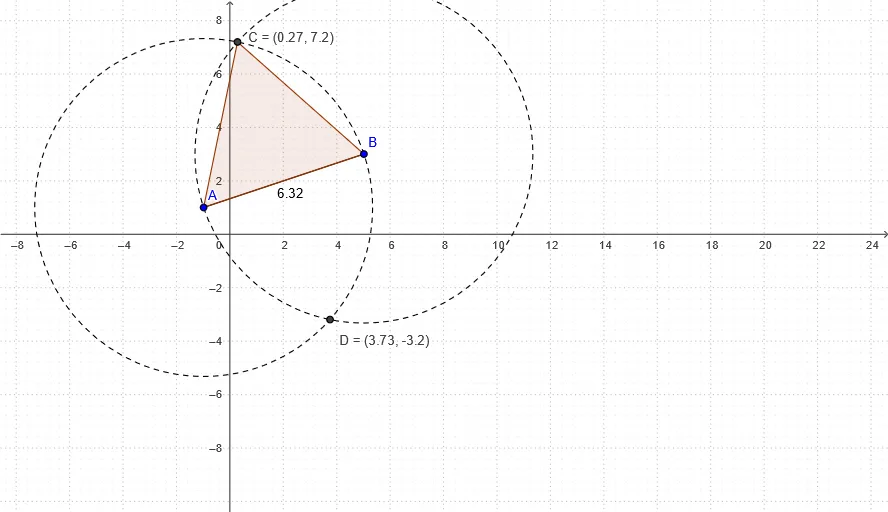
This example demonstrates the solution process for Exercise 10. Key mathematical concepts include geometric construction, circle, polygon, and points. Using GeoGebra commands such as Segment, Circle, Intersect, and Polygon, one can construct rectangles and related geometric figures. Suitable for middle school and above students or teachers.
GeoGebra Commands & Parameters
Segment(B, A) → bCircle(A, B) → cCircle(B, A) → dIntersect(c, d, 1) → CIntersect(c, d, 2) → DPolygon(A, B, C) → P, c_1, a, b_1
AI Drawing Prompt Reference
Draw a geometric figure with two intersecting circles and a polygon. Start by drawing a line segment, then create two circles with the segment's endpoints as centers. Let the circles intersect at two points. Finally, form a polygon using these two intersection points along with the endpoints of the line segment to demonstrate the geometric construction.
The prompt above was compiled from the original drawing commands and is for reference only.