
Exact Values on the Unit Circle (Radians) by Mike Walta
Loading the math board and drawing, please wait…
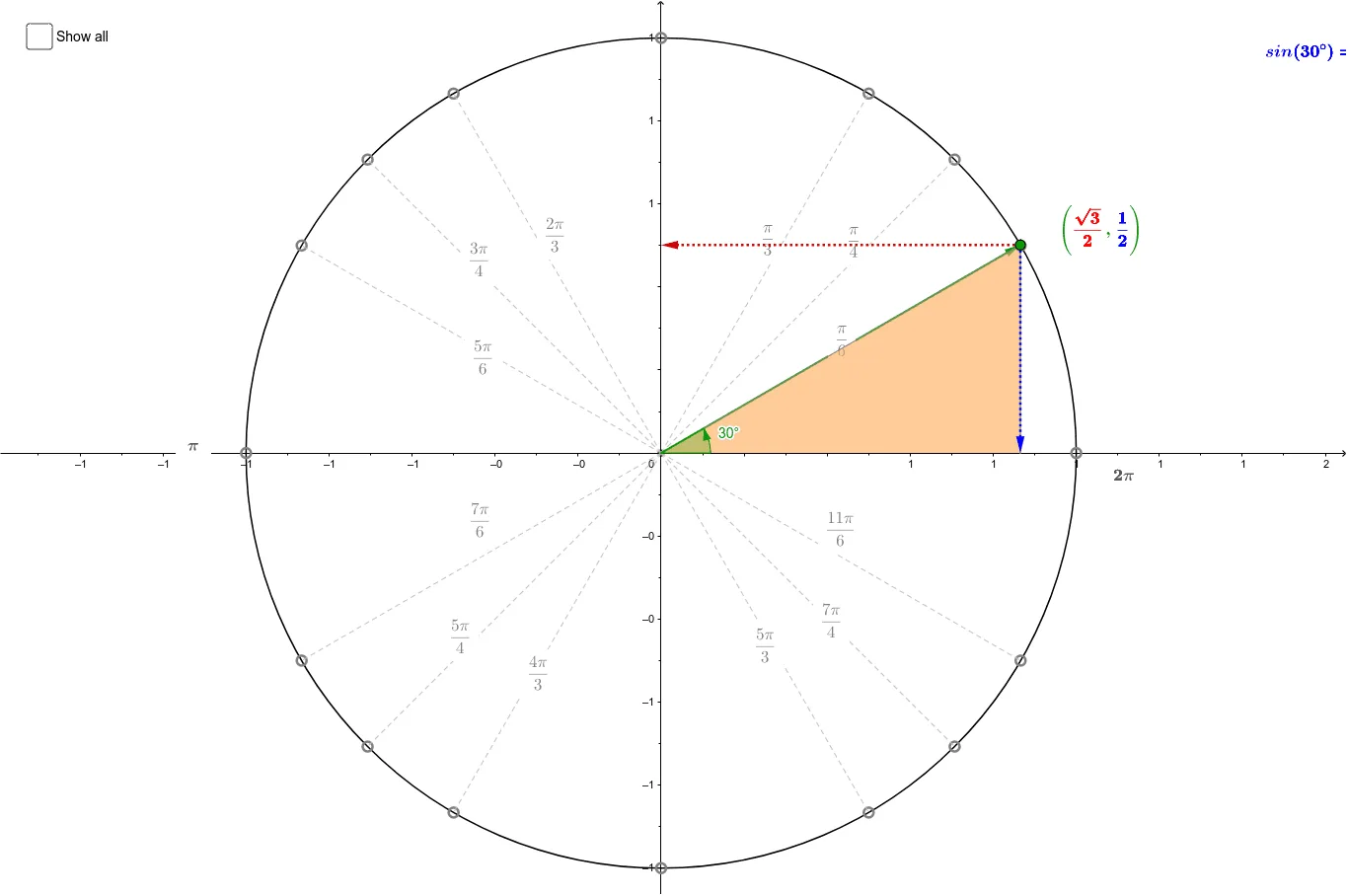
This example demonstrates the exact values on the unit circle for common angles. It involves key mathematical concepts such as trigonometric functions and radian measure. Using GeoGebra commands like Intersect, Point, and Circle, key points on the unit circle are constructed. Suitable for high school mathematics education and learning.
GeoGebra Commands & Parameters
Intersect(xAxis, yAxis) → OPoint(xAxis) → ECircle(O, E) → c_1Point(c_1) → XSegment(O, X) → aDistance(X, A_1) → bAngle(E, O, X) → αSegment(A_1, (x(A_1), 0)) → fSegment(A_2, (x(A_2), 0)) → gSegment(B_2, B_1) → hSegment(C_2, C_1) → iVector(O, X) → uVector(X, (x(X), 0)) → vVector(X, (0, y(X))) → wPoint(u) → ASegment(A, C_2) → eSegment(A, B_2) → jSegment(A, A_2) → kSegment(A, A_3) → lSegment(A, B_3) → mSegment(A, C_3) → nSegment(A, C_4) → pSegment(A, B_4) → qSegment(A, A_4) → rSegment(A, A_1) → s_1Segment(A, B_1) → tSegment(A, C_1) → a_1Polygon(X, (x(X), 0), A) → poly1, a_2, B, b_1Polygon((abs(x(X)), abs(y(X))), A, (abs(x(X)), 0)) → poly2, d_1, e_1, a_3
AI Drawing Prompt Reference
Draw a unit circle with x and y axes intersecting at the origin. Mark a point on the circle along the positive x-axis and draw a line segment from the origin to this point. Use this segment as the radius to draw the circle. Label key angle points on the circle and draw corresponding trigonometric segments to show the geometric representation of sine, cosine, and angle measures.
The prompt above was compiled from the original drawing commands and is for reference only.