
Exact Values on the Unit Circle (degrees) by J Edward Ladenburger
Loading the math board and drawing, please wait…
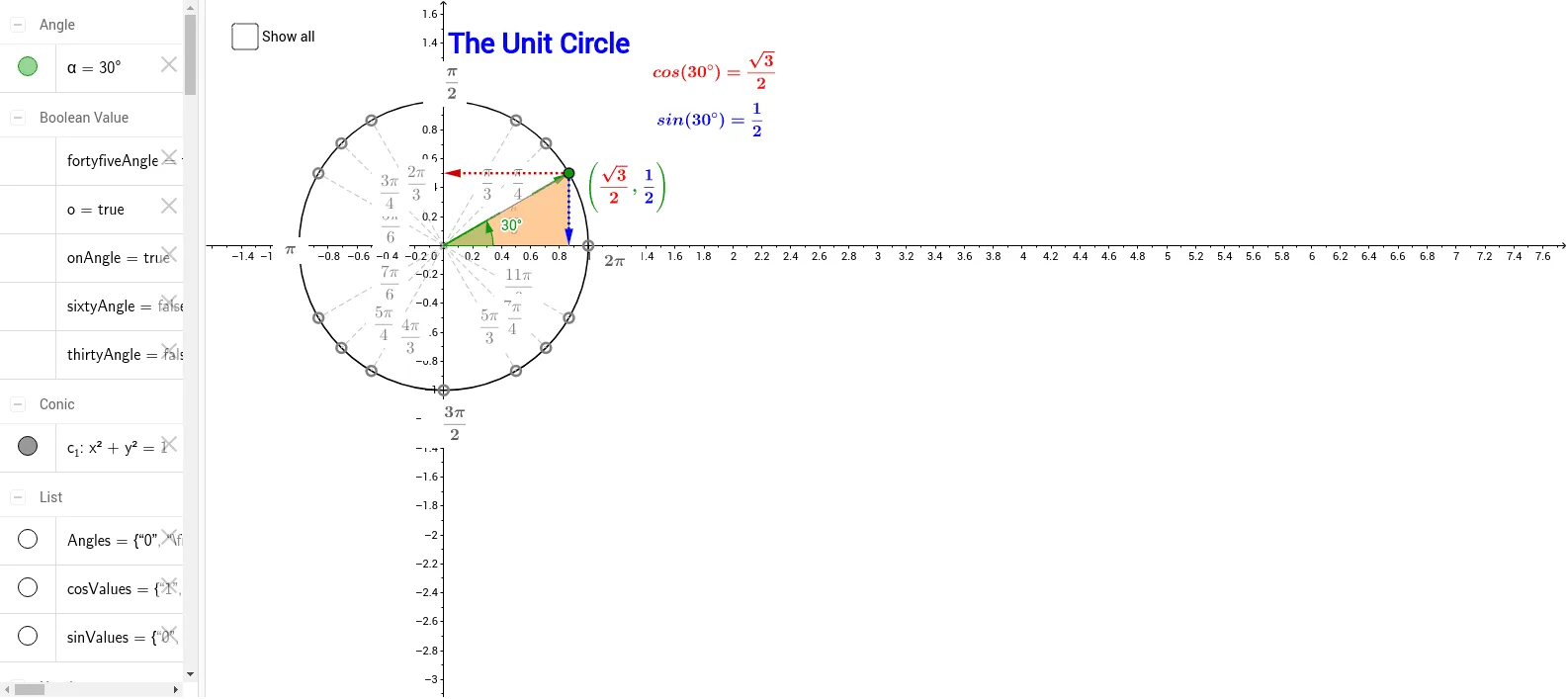
This example demonstrates how to mark angles and their corresponding trigonometric exact values on the unit circle. It involves core math concepts like the unit circle, trigonometric functions, angle measurement, and geometric construction. Construction highlights include using GeoGebra commands such as Intersect, Point, Circle, Segment, Distance, Angle, Vector, and Polygon. Suitable for high school mathematics students learning trigonometric applications on the unit circle and introductory calculus education.
GeoGebra Commands & Parameters
Intersect(xAxis, yAxis) → OPoint(xAxis) → ECircle(O, E) → c_1Point(c_1) → XSegment(O, X) → aDistance(X, A_1) → bAngle(E, O, X) → αSegment(A_1, (x(A_1), 0)) → fSegment(A_2, (x(A_2), 0)) → gSegment(B_2, B_1) → hSegment(C_2, C_1) → iVector(O, X) → uVector(X, (x(X), 0)) → vVector(X, (0, y(X))) → wPoint(u) → ASegment(A, C_2) → eSegment(A, B_2) → jSegment(A, A_2) → kSegment(A, A_3) → lSegment(A, B_3) → mSegment(A, C_3) → nSegment(A, C_4) → pSegment(A, B_4) → qSegment(A, A_4) → rSegment(A, A_1) → s_1Segment(A, B_1) → tSegment(A, C_1) → a_1Polygon(X, (x(X), 0), A) → poly1, a_2, B, b_1Polygon((abs(x(X)), abs(y(X))), A, (abs(x(X)), 0)) → poly2, d_1, e_1, a_3
AI Drawing Prompt Reference
Draw a unit circle and mark the angle α and its corresponding sine and cosine values. Start by marking the intersection of the x-axis and y-axis as point O, then draw a circle c_1 with O as the center and E as the radius. Next, pick a point X on the circle and draw line segment OX, measure the distance b from X to the origin, and calculate angle α. Draw perpendicular lines f from X to the x-axis and w from X to the y-axis, and mark their intersections with the axes as point A. Then, draw tangents from A to the circle, intersecting at points C_2, B_2, C_1, B_1, and connect these points to form polygons.
The prompt above was compiled from the original drawing commands and is for reference only.