
Everything is on the Line: constructing a linear relation from points and linkin
Loading the math board and drawing, please wait…
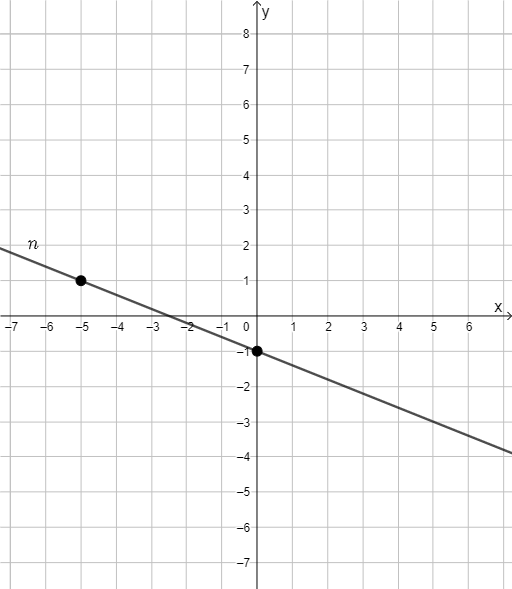
This GeoGebra example visualizes the idea that the essential information is contained on a single straight line: once a linear relationship is represented geometrically, key algebraic conclusions can be read directly from the graph. It focuses on constructing a line from two points and using it as a function/graph representation. The main mathematical concepts include: the geometric definition of a line (the line passing through two points), function graphing of linear relationships, and a linear-modeling viewpoint that can connect to linear programming/optimization or distribution-based modeling in an intuitive, graph-centered way. Construction highlights from the provided summary: it uses the GeoGebra command “Line” with objects A and B, and involves the function object f to connect the constructed line to a functional representation. Suitable for upper secondary and early college learners for lessons on straight lines, function graphs, and using geometry to support linear modeling and introductory discussions of optimization or probabilistic/distribution interpretations.
GeoGebra Commands & Parameters
Line(A, B) → f
AI Drawing Prompt Reference
Draw a coordinate plane with two arbitrary points placed on it. Construct a straight line passing through both points, making it the unique linear path connecting them. Then, treat this line as the graph of a linear function, and mark its intersections with the coordinate axes to visually show the correspondence from two-point line construction to functional representation. The overall scene should emphasize the geometric construction of the line and its link to the function graph, with optional grid lines to help observe slope and intercept.
The prompt above was compiled from the original drawing commands and is for reference only.