
Equation of a Line
Loading the math board and drawing, please wait…
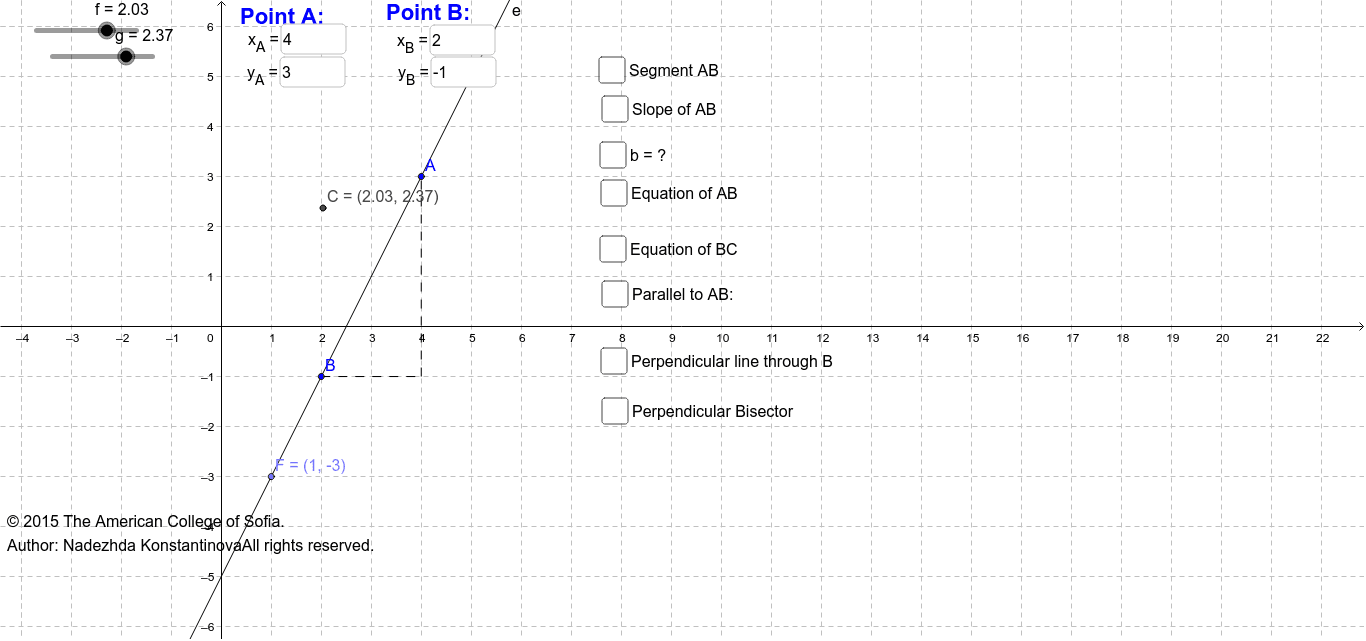
This example demonstrates the construction process of a line equation. Key mathematical concepts include line equations, slope, segments, orthogonal lines, intersections, and midpoints. Using GeoGebra commands such as TextField, Line, Slope, Segment, OrthogonalLine, and Intersect, the formation of the line equation is dynamically illustrated. Suitable for students in middle school and above to learn about line equations and coordinate geometry.
GeoGebra Commands & Parameters
Textfield(a) → inputBox1Textfield(b) → inputBox2Textfield(c) → inputBox3Textfield(d) → inputBox4Line(A, B) → eLine(B, C) → hSlope(e) → iSlope(h) → jSegment(A, B) → kOrthogonalLine(A, xAxis) → lOrthogonalLine(B, l) → mIntersect(l, m) → DSegment(B, D) → nSegment(D, A) → pLine(C, e) → sOrthogonalLine(B, e) → a_1LineBisector(k) → b_1Midpoint(k) → ESlope(b_1) → c_1Point(e) → FIntersect(e, yAxis) → G
AI Drawing Prompt Reference
Draw a line to demonstrate the construction of its equation. Include text boxes for inputs a, b, c, d. Plot lines AB and BC, and calculate their slopes. Draw the perpendicular line to AB, intersecting the x-axis at point D, and connect BD and DA. Draw the perpendicular line to BC, intersecting the perpendicular to AB at point G. Show the intersection of the y-axis with line AB. Calculate and display the midpoint E of AB and the perpendicular bisector of BC, along with its slope.
The prompt above was compiled from the original drawing commands and is for reference only.