
Equation of a Circle Investigation
Loading the math board and drawing, please wait…
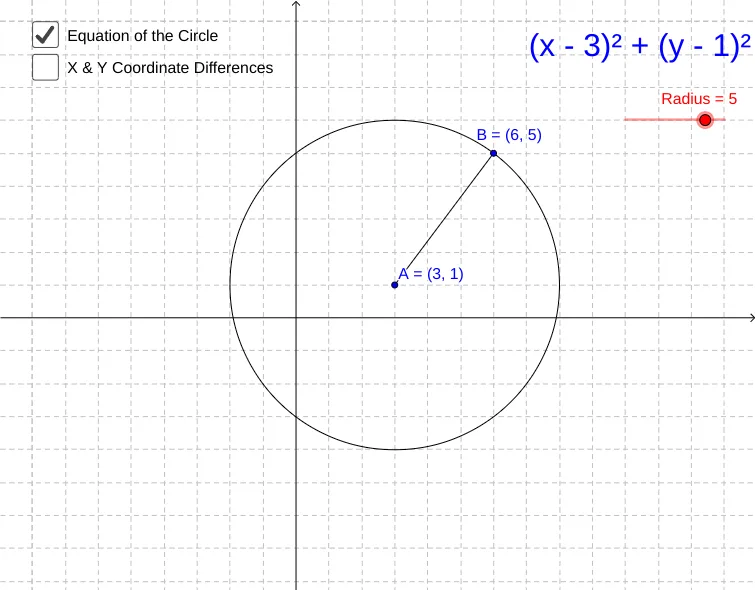
This example guides learners to explore the equation of a circle by constructing a circle in GeoGebra and using geometric relationships—such as orthogonal lines and intersection points—to connect the visual geometry with the algebraic form of the circle. It focuses on core concepts including the geometric definition of a circle (center and radius), how the circle’s equation arises from these parameters, and the role of line–circle interactions (intersection/tangent-related constraints). The construction is built with GeoGebra commands: Circle to create the circle object, Point for key points (e.g., center and auxiliary points), Segment to form radii or connecting segments, OrthogonalLine to generate perpendicular auxiliary lines that establish the needed relationships, and Intersect to compute relevant intersection points. Labeled text (text1) and parameter objects help tie the diagram’s quantities (such as Radius and the circle object) to variables appearing in the equation. Suitable for secondary to early university-level instruction on coordinate geometry and geometric construction, and for classroom demonstrations or self-guided investigations.
GeoGebra Commands & Parameters
Circle(A, Radius) → cPoint(c) → BSegment(A, B) → bOrthogonalLine(B, yAxis) → dOrthogonalLine(A, xAxis) → eIntersect(e, d) → CSegment(C, B) → fSegment(C, A) → g
AI Drawing Prompt Reference
Draw a geometric circle. The center is a point, and the radius is a line segment from the center to the circumference. Draw a line perpendicular to the x-axis and a line perpendicular to the y-axis. Their intersection is a point on the circle. Draw a line segment from the center to this point and another from the point to the center. Ensure the diagram is clear, labeling the center and radius.
The prompt above was compiled from the original drawing commands and is for reference only.