
Ellipse with a and b Sliders: Standard Equation, Vertices, and Axes
Loading the math board and drawing, please wait…
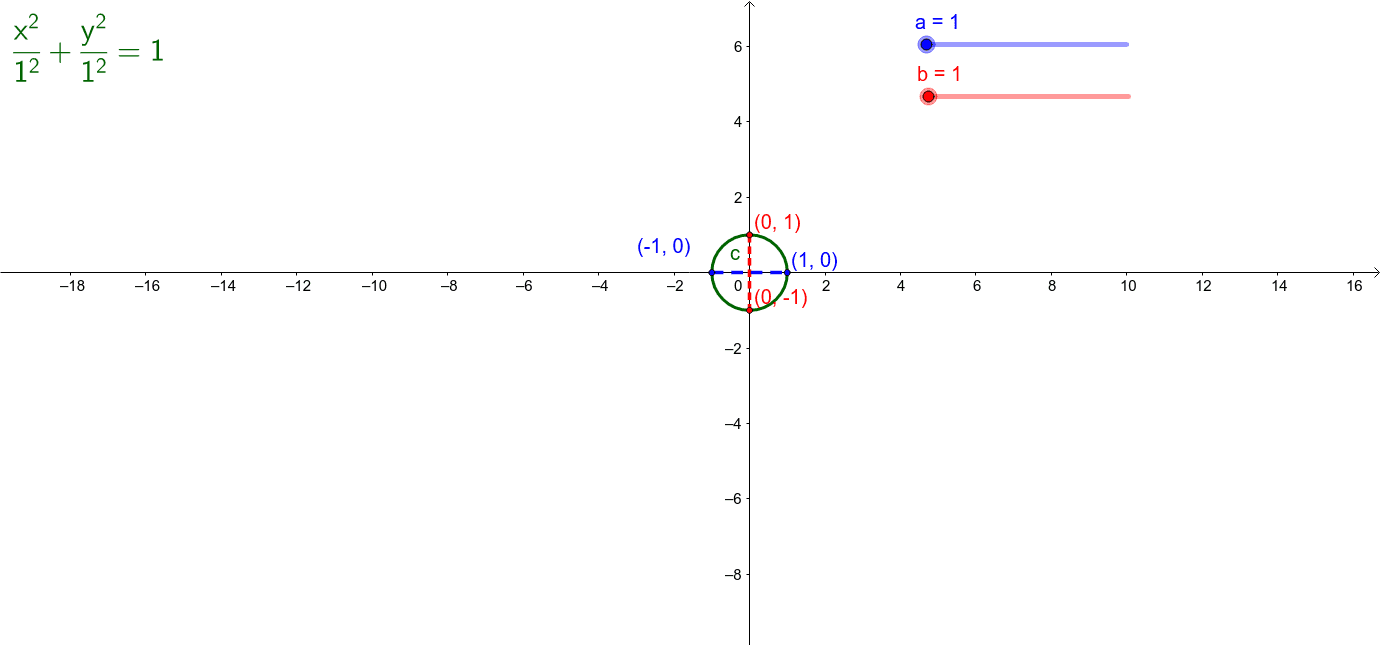
This example demonstrates an ellipse whose standard equation, vertices, co-vertices, major axis, and minor axis update dynamically as sliders for a and b change. It covers conic-section concepts such as the ellipse equation, semi-major and semi-minor axes, focal parameter c, and coordinate geometry. In GeoGebra, Intersect is used to locate key points where the ellipse meets axes or auxiliary lines, while Segment draws axes or vertex connections. Objects a, b, c, and text1 represent parameters and equation text; points A, B, C, and D mark vertices or co-vertices; segments d and e visualize major/minor axes or supporting lines. Suitable for secondary-school analytic geometry, conic-section lessons, and interactive classroom exploration.
GeoGebra Commands & Parameters
Intersect(c, xAxis, 2) → AIntersect(c, xAxis, 1) → BIntersect(c, yAxis, 1) → DIntersect(c, yAxis, 2) → CSegment(C, D) → dSegment(B, A) → e
AI Drawing Prompt Reference
Draw a centered ellipse controlled by two sliders for its horizontal and vertical semi-axes, and show its standard equation together with the focal parameter relationship. Mark the four intersections of the ellipse with the coordinate axes as vertices and co-vertices. Connect the two axis intersections on the horizontal axis with one segment to represent the major axis, and connect the two intersections on the vertical axis with another segment to represent the minor axis. When the slider values change, the ellipse, intersection points, equation text, and axis segments should update together, illustrating analytic geometry properties of ellipses.
The prompt above was compiled from the original drawing commands and is for reference only.