
Ellipse Demonstration of Conic Sections
Loading the math board and drawing, please wait…
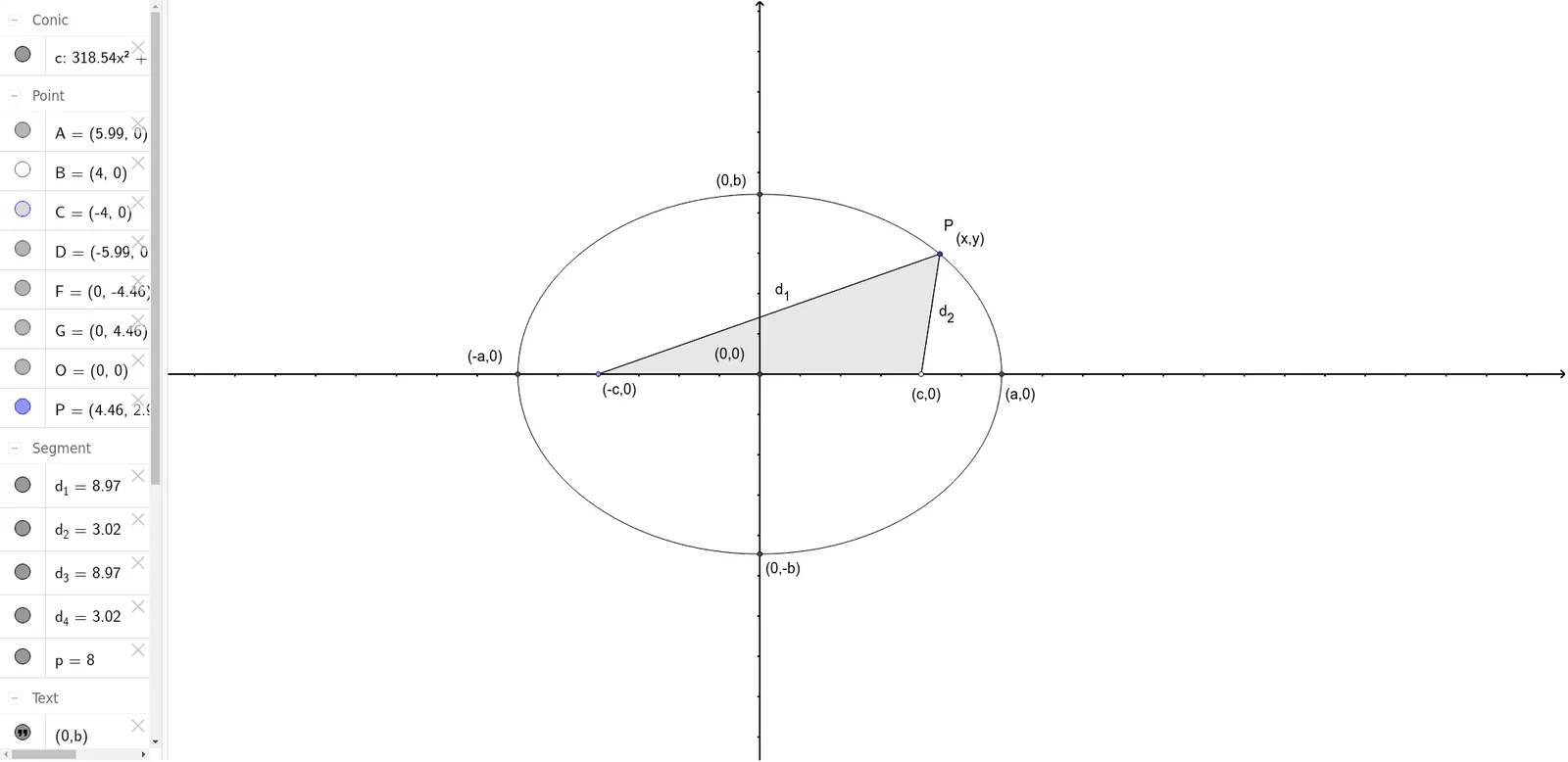
This example illustrates the geometric and algebraic properties of an ellipse, including its foci, tangent lines, and parametric representation. It also features interactive sliders for upper/lower sums and Riemann approximations, exploring continuity and logical reasoning. Core concepts cover conic sections, ellipse definition, parametric equations, tangent lines, limits, and integration. The construction uses GeoGebra commands such as Point, Ellipse, Intersect, Polygon, and Segment to create foci, vertices, tangents, and text labels, making it suitable for high school or early university mathematics courses.
GeoGebra Commands & Parameters
Point(xAxis) → CPoint(xAxis) → BEllipse(C, B, P) → cIntersect(c, xAxis) → D, AIntersect(c, yAxis) → F, GIntersect(xAxis, yAxis) → OPolygon(C, P, B) → poly1, d_3, d_4, pSegment(C, P) → d_1Segment(P, B) → d_2
AI Drawing Prompt Reference
Please draw an example illustrating the geometric and algebraic properties of an ellipse. First, select two points on the x-axis to serve as foci. Then, construct an ellipse using these two foci. Next, find the intersection points of the ellipse with the x-axis and y-axis. Mark the origin of the coordinate system. Finally, draw a polygon that includes the foci and a point on the ellipse, and connect these points to form segments.
The prompt above was compiled from the original drawing commands and is for reference only.