
Elevator Model for Integer Addition
Loading the math board and drawing, please wait…
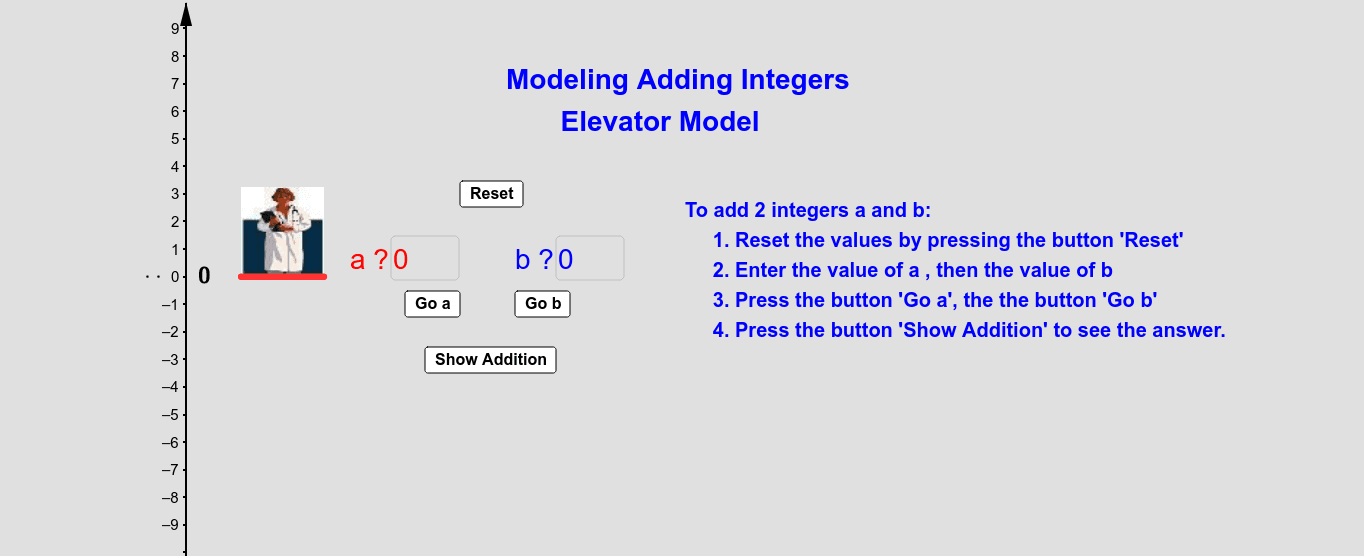
This example uses an elevator model to demonstrate the process of adding integers. Key mathematical concepts include integers and addition. It utilizes commands such as Textfield, Segment, Vector, etc., as described in the construction summary. Suitable for high-grade elementary or junior high school students learning integer addition.
GeoGebra Commands & Parameters
Textfield(a) → ChampTexte1Textfield(b) → ChampTexte2Segment((1, 0), (1, a)) → a_1Segment((1, a), (1, a + b)) → b_1Vector((-1, a), (-1, a + (b * Stepb))) → vOrthogonalLine(A, yAxis) → cSegment(B, A) → dMidpoint(B, A) → COrthogonalLine(B, d) → ePoint(e) → DVector((-1.4, 0), ((-1.4), (Stepa * a))) → u
AI Drawing Prompt Reference
Draw an elevator model to illustrate integer addition. Create a vertical elevator shaft starting from the ground, with two colored segments representing the first and second addends, placed end-to-end so their total height equals the sum. Beside the shaft, draw an arrow indicating the movement of the second addend, whose length changes with its value. Add a horizontal reference line, and above it another arrow showing the magnitude of the first addend. Include two input fields for entering the integers, displayed clearly. The layout should emphasize the addition process.
The prompt above was compiled from the original drawing commands and is for reference only.