
Element or Not? Level 1: Region Testing with Randomized Checks
Loading the math board and drawing, please wait…
In collections
Ⓔ Zahlenmengen
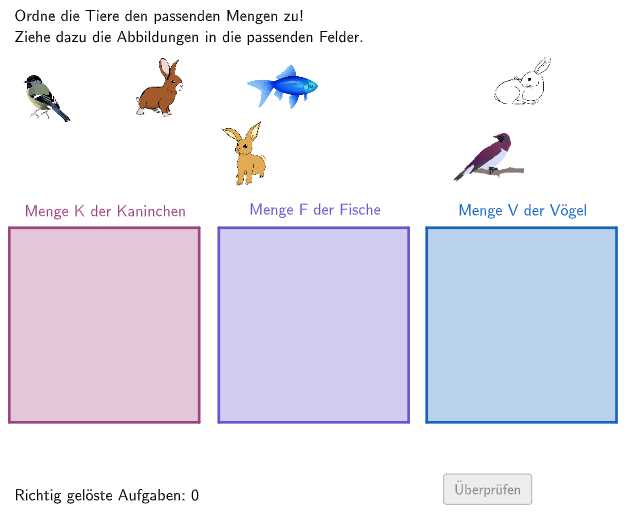
This GeoGebra example demonstrates an interactive classification task by constructing polygon regions in the plane and then testing randomly generated candidate points for membership (inside vs. outside the region). The math ideas include basic arithmetic/fraction-style thinking (as suggested by the original theme), geometric construction of polygon boundaries, point-in-region testing via IsInRegion, and conditional logic for selecting outputs using If. Construction highlights: Polygon is used to build the polygonal region(s); IsInRegion determines whether a candidate point lies within the target region; If switches between different outcomes depending on the membership result; Shuffle and Element support randomized or selectable values (e.g., quantity and correctness-related variables); and Textfield plus auxiliary geometric objects (midpoints/position markers such as MidF1/PosF1, MidF2/PosF2, MidF3/PosF3, MidH1/PosH1, MidH2) enable dynamic labels and feedback. Suitable for middle to early high school students for interactive demos, drills, and exploratory learning of geometric region membership with conditional logic.
GeoGebra Commands & Parameters
Polygon(A_{1}, B_{1}, C_{1}, D_{1}) → box2, a_{1}, b_{1}, c_{1}, d_{1}IsInRegion(MidF1, box2) → PosF1IsInRegion(MidF3, box2) → PosF3IsInRegion(MidF2, box2) → PosF2If(PosF1 ∧ PosF2 ∧ PosF3, 3, If[PosF1 ∧ PosF2 ∨ PosF1 ∧ PosF3 ∨ PosF2 ∧ PosF3, 2, If[PosF1 ∨ PosF2 ∨ PosF3, 1, 0]]) → correctFischePolygon(A, B, C, D) → box1, a, b, c, dIsInRegion(MidH1, box1) → PosH1IsInRegion(MidH2, box1) → PosH2IsInRegion(MidH3, box1) → PosH3If(PosH1 ∧ PosH2 ∧ PosH3, 3, If[PosH1 ∧ PosH2 ∨ PosH1 ∧ PosH3 ∨ PosH2 ∧ PosH3, 2, If[PosH1 ∨ PosH2 ∨ PosH3, 1, 0]]) → correctHasenShuffle(Sequence[Random[1, 7], i, 1, 100]) → randomNosForX, {2, 5, 5, 2, 2, 1, 7, 4, 6, 5, 2, 7, 6, 7, 3, 6, 3, 6, 6, 1, 4, 2, 5, 5, 1, 6, 1, 1, 5, 2, 2, 6, 3, 5, 4, 3, 4, 6, 4, 2, 7, 1, 7, 7, 1, 1, 5, 7, 6, 5, 6, 2, 1, 4, 4, 5, 1, 4, 1, 3, 3, 5, 4, 1, 7, 7, 7, 6, 4, 7, 2, 5, 7, 5, 1, 3, 3, 5, 3, 1, 2, 4, 5, 1, 7, 3, 6, 6, 2, 3, 2, 1, 2, 6, 4, 7, 1, 3, 2, 6}Element(randomNosForX, Mod[questionCount, 100] + 1) → numXPolygon(A_{2}, B_{2}, C_{2}, D_{2}) → box3, a_{2}, b_{2}, c_{2}, d_{2}IsInRegion(MidV1, box3) → PosV1IsInRegion(MidV3, box3) → PosV3IsInRegion(MidV2, box3) → PosV2If(PosV1 ∧ PosV2 ∧ PosV3, 3, If[PosV1 ∧ PosV2 ∨ PosV1 ∧ PosV3 ∨ PosV2 ∧ PosV3, 2, If[PosV1 ∨ PosV2 ∨ PosV3, 1, 0]]) → correctVoegelIf(IsInRegion[MidV1, box1] ∨ IsInRegion[MidV1, box2] ∨ IsInRegion[MidV1, box3], 1, 0) → IsInBoxV1If(IsInRegion[MidF1, box1] ∨ IsInRegion[MidF1, box2] ∨ IsInRegion[MidF1, box3], 1, 0) → IsInBoxF1If(IsInRegion[MidF3, box1] ∨ IsInRegion[MidF3, box2] ∨ IsInRegion[MidF3, box3], 1, 0) → IsInBoxF3If(IsInRegion[MidF2, box1] ∨ IsInRegion[MidF2, box2] ∨ IsInRegion[MidF2, box3], 1, 0) → IsInBoxF2If(IsInRegion[MidH1, box1] ∨ IsInRegion[MidH1, box2] ∨ IsInRegion[MidH1, box3], 1, 0) → IsInBoxH1If(IsInRegion[MidH2, box1] ∨ IsInRegion[MidH2, box2] ∨ IsInRegion[MidH2, box3], 1, 0) → IsInBoxH2If(IsInRegion[MidH3, box1] ∨ IsInRegion[MidH3, box2] ∨ IsInRegion[MidH3, box3], 1, 0) → IsInBoxH3If(IsInRegion[MidV3, box1] ∨ IsInRegion[MidV3, box2] ∨ IsInRegion[MidV3, box3], 1, 0) → IsInBoxV3If(IsInRegion[MidV2, box1] ∨ IsInRegion[MidV2, box2] ∨ IsInRegion[MidV2, box3], 1, 0) → IsInBoxV2Textfield(aInput) → InputBox1Textfield(bInput) → InputBox2
AI Drawing Prompt Reference
Draw two non-overlapping polygon regions named box1 and box2. Randomly generate a point in each region and label them as MidF1, MidF2, MidF3, MidH1, MidH2, and MidH3. Use the IsInRegion function to determine if these points are in their respective regions, and calculate the correct answer using the If function. Finally, generate 100 random numbers and select one to check if it is in any of the three regions.
The prompt above was compiled from the original drawing commands and is for reference only.